



















Table Management for Restaurants: Map, Move, Merge and Split Bills
Learn how to organise restaurant tables with zones, move and merge parties smoothly, and split the bill without slowing service. Practical tips for faster turnover and fewer mistakes.
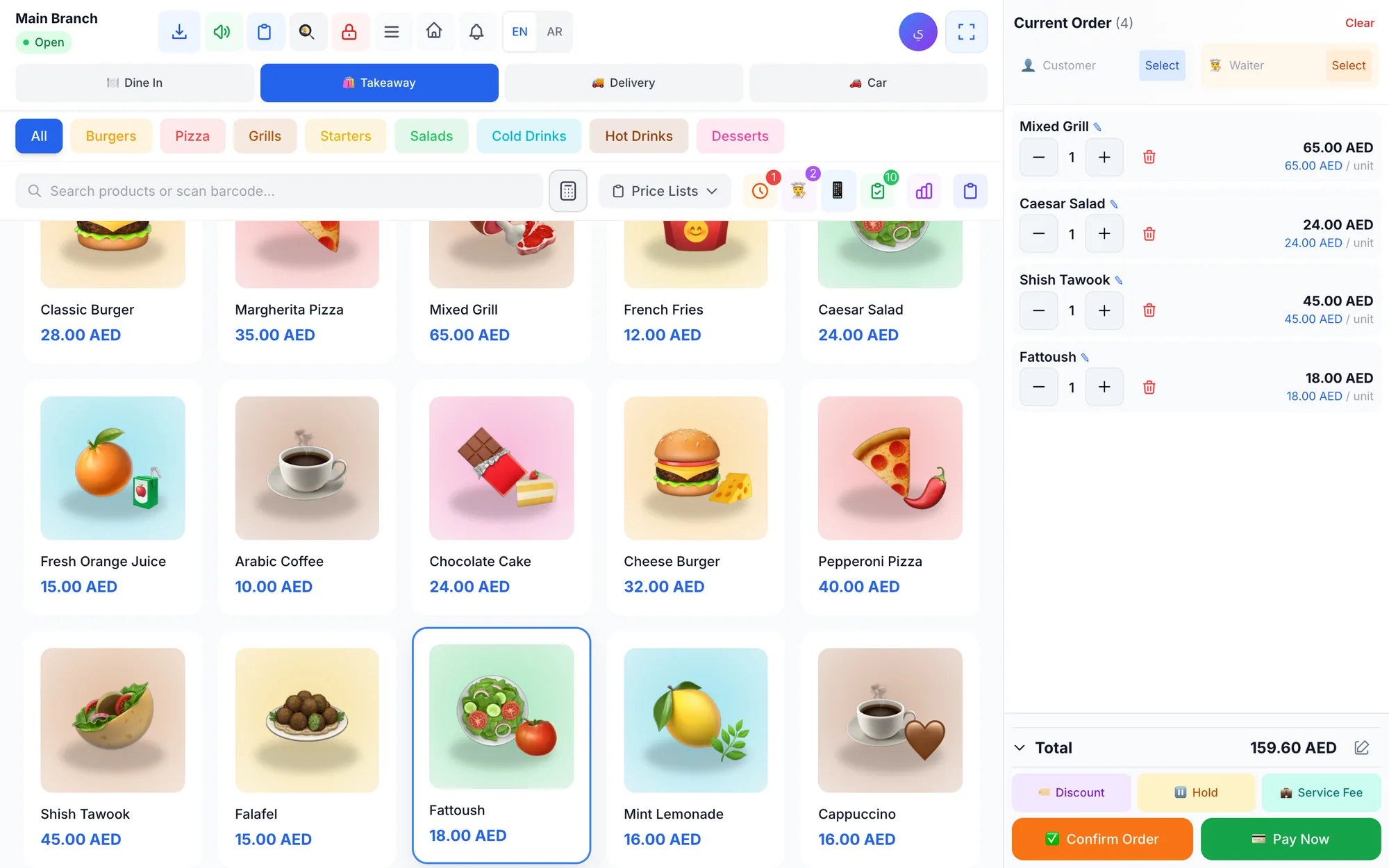
Table management is the difference between a restaurant that feels calm and one that feels chaotic at peak hours. A clear table map, smart zones, and a fast split bill workflow help staff seat guests faster, move parties without confusion, and turn tables over smoothly without rushing service.
If you run a café in Dubai at lunch rush, a family restaurant on a Friday night, or a busy dining room anywhere in the world, the same rules apply: staff need to see where every guest sits, know what can be moved, and close checks accurately. Good restaurant tables management saves time at the front of house and reduces mistakes at the cashier.
This guide shows how to build a practical table map, when to move or merge tables, how to split the bill between guests, and which turnover habits keep service fast without making guests feel pushed out.
- A good table map should match the way your team actually serves the room.
- Zones help hosts and waiters work faster during busy shifts.
- Move and merge tables only when the change is clear in the POS and to the staff.
- Split bills should be simple, consistent, and decided before the rush starts.
- Faster turnover comes from clear rules, not from hurrying guests.
What good table management should do in a restaurant
Strong table management is not just a floor plan. It is a live service tool that helps your team see which tables are free, which are occupied, which parties are waiting for food, and which checks are still open. That visibility matters when the room fills up and every minute counts.
At its best, table management supports three jobs at once. First, it helps the host seat guests in the right place. Second, it helps waiters keep orders tied to the correct table. Third, it helps the cashier close the bill without confusion when guests want to pay separately, move seats, or merge with another party.
Think of it this way: the floor plan should make service easier, not prettier. A perfect-looking map that staff cannot use quickly will slow everyone down. A simple map with clear zones, clear table numbers, and a consistent routine will work better on a busy night.
Why zones and a table map matter
Zones divide the dining room into smaller working areas. That means one waiter can focus on the patio, another on booths, and another on the main floor without everyone chasing the same guests. In a busy service, that small structure prevents delays and helps new staff learn the room faster.
A table map turns those zones into something the team can use in seconds. Instead of asking where table 12 is, a waiter can glance at the screen and understand the room at once. When a party changes seats or you need to join two tables, the map should make that update obvious to everyone who needs to know.
| Zone setup | Best use | Example | Why it helps |
|---|---|---|---|
| Window seats | Couples and small groups | Two-top tables near the front | Easy to turn quickly during lunch |
| Booth section | Families and longer meals | Four-top booths in one area | Staff can serve several tables in one path |
| Patio zone | Guests who want open space | Outdoor tables with clear numbering | Hosts can seat faster without walking the whole floor |
| Large-party area | Groups that may merge tables | Two or more tables set aside together | Makes large bookings easier to manage |
Zones are especially useful when your restaurant has mixed service patterns. For example, a café may have fast-moving counter guests in one corner and slower dine-in guests in another. A clear zone structure helps staff know which tables should be cleared first and which ones may stay longer.
How to design a table map staff can use in seconds
The best table map is simple enough for a new cashier or waiter to understand on day one. Start with the real flow of service, not the furniture layout on paper. Guests arrive at the host stand, orders go to the kitchen, food comes back, and the check closes at the end. The map should support that flow.
- Group tables by how they are served, not only by how they look on the floor.
- Keep table numbers easy to read and consistent across the room.
- Separate high-turn tables from larger tables that stay occupied longer.
- Mark zones clearly so the host can seat the next guest without asking for help.
- Decide in advance which tables can be joined if a larger party arrives.
- Train staff to update the table status immediately after every move or merge.
A useful map also prevents awkward seat changes. If guests move from one corner to another, the restaurant should know that the order still belongs to the same party. Otherwise, the kitchen may lose track of the check, the cashier may split the bill incorrectly, or the waiter may bring the wrong plate to the wrong table.
If you want a broader look at what a modern restaurant system should include, see the restaurant POS system guide and the restaurant solution page. Both help owners understand how the dining room, cashier, and kitchen should work together.
When to move or merge tables
Moving a table is useful when guests change seats, need more space, or want to sit closer to another party. Merging tables is useful when a larger group arrives and the current setup does not fit them comfortably. The key is to make the change cleanly, without creating confusion for the team.
Do not move tables just because a guest asks for a better view if the restaurant is already in a rush and the change will disrupt service. In that case, the team should weigh comfort against speed. The goal is not to say no to guests. The goal is to make the change only when the room and the kitchen can handle it smoothly.
Good rules make these decisions easier:
- Move a table when the new seat is clearly better for service or comfort.
- Merge tables when the party size really needs it, not as a last-minute guess.
- Update the POS as soon as the move happens so the whole team stays aligned.
- If two tables are joined, keep one clean order flow so the kitchen does not receive duplicate or mixed tickets.
In a full dining room, a smart move can save the experience. For example, a family in a corner booth may need more room for a stroller or a high chair. A quick merge may also be the right answer for two small groups who want to sit together. The important part is that staff act on the same version of the room, not a memory of where people used to sit.
How to split the bill between guests without slowing service
The split bill is one of the most common friction points at the end of a meal. Guests may want to pay by item, split evenly, separate drinks from food, or let one person pay the whole bill and settle later. The smoother your process, the faster the table leaves without stress at the counter.
The best approach is to set a clear policy before service starts. Staff should know whether they can split by item, split evenly, or combine selected items. That way, the team can explain the process quickly instead of improvising while a line builds behind the cashier.
| Guest request | Best split method | Staff action | Result |
|---|---|---|---|
| Friends sharing everything | Even split | Divide the total by the number of guests | Fast close with less checking |
| One person had the starter, another had drinks | Item-by-item split | Assign items to the correct guest before closing | Fair and accurate bills |
| Couple sharing a meal but paying separately | Split selected items | Keep shared dishes together and separate the rest | Less confusion at the cashier |
| Large group with one shared dessert | Mixed split | Allocate shared items evenly and leave the rest individual | Balanced and practical checkout |
A few habits make split bills easier every day. Confirm the split before printing the final check. Make sure shared items and discounts are entered correctly. And if guests change tables during the meal, make sure the bill follows the order, not the chair they ended up in.
If your team also takes orders from the table, a waiter ordering app guide can help show how mobile ordering supports faster service and cleaner bill handling. For guests who want to order directly from the table, the QR menu and table ordering guide is also useful.
Turnover tips that improve speed without rushing guests
Table turnover is not about forcing people out. It is about reducing dead time between one party leaving and the next party being seated. The smoother your turnover process, the more covers you can handle without making the room feel tense.
The simplest way to improve turnover is to standardise the small things. Everyone should know how a cleared table is marked, who resets it, and when the host can seat the next guest. When those steps are predictable, the whole front of house moves faster.
| Turnover habit | What staff do | Why it works | Watch out for |
|---|---|---|---|
| Pre-bus early | Remove empty plates and unused items during the meal | The table needs less work after guests leave | Do not interrupt the guest experience |
| Reset in zones | Clear and prepare one zone at a time | Staff avoid running across the whole room | Do not leave one section half ready |
| Use a clear waiting list | Seat the next party in the best ready table | Reduces confusion at the host stand | Do not hold ready tables too long |
| Keep large-party tables flexible | Have a plan for joining tables quickly | Large bookings do not slow the room | Confirm the merge in the POS first |
Turnover improves when the team works from the same playbook. If one person clears, another resets, and a third seats guests without coordination, the room will feel disorganised. A simple zone routine keeps everyone in sync and helps the next party sit down sooner.
How Quip POS handles table management
Quip POS is built for dine-in service, so the table workflow is part of the restaurant setup rather than an add-on. It includes a table map with zones, and staff can move and merge tables when the room changes. That makes it easier to manage busy services without losing track of the order.
For a restaurant team, that means the table on the floor, the order in the cashier view, and the ticket in the kitchen stay aligned. The system also supports split bill between guests, which is essential when a group wants separate payments at the end of the meal.
Quip POS also supports the wider restaurant flow around the table. Waiters can take orders on their phones through the waiter app, send them to the cashier and kitchen, and receive instant notifications when food is ready. The kitchen display shows new, preparing, and ready statuses with timers, sound alerts, guest notes, and item-level ready marks.
If you want guests to order from the table, Quip POS also supports a QR menu with more than 20 designs, a menu per branch and table on quip.menu, and table ordering that lands on the POS. That can be useful for teams that want to reduce pressure on the floor during rush hours.
To understand how these pieces fit together, read the kitchen display system guide, the restaurant POS system guide, and the features page. Together they show how table management connects to the kitchen, cashier, and guest experience.
Simple table-management checklist before service
Before opening the doors, run a quick check so the room is ready for guests and the team is not guessing once service starts.
- Confirm the table map matches the actual room layout.
- Check that every zone is named clearly and understood by staff.
- Decide which tables can be moved or merged during busy periods.
- Agree how the team will handle split bills before the rush starts.
- Make sure waiters and cashiers know how to update table status fast.
- Review the large-party plan so a surprise booking does not slow the room.
A short checklist like this can prevent most table problems before they happen. It does not take long, but it keeps the whole dining room moving in the same direction.
Start with a live table map, then test it in real service
If you want a practical way to improve table management, start with a floor map that matches your service style, then test how your team handles moves, merges, and split bills during a real shift. You can try the live demo or start the free trial to see how the workflow feels in a restaurant setup before you commit.
Frequently asked questions
What is table management in a restaurant POS system?
How do you split the bill between guests without delays?
Why should a restaurant use zones in the dining room?
When should you move or merge restaurant tables?
How can I improve table turnover without making guests feel rushed?
Talk to the Quip POS team
Tell us about your business and we will show you the right setup, help you add your products and connect your printers.
Related articles
Restaurants & cafés
Opening a Restaurant: Technology and Operations Checklist
Before you open a restaurant, make sure your menu, printers, kitchen screens, staff roles and payment methods are ready. This checklist helps you test service before day one.
 Restaurants & cafés
POS for Bakeries and Sweet Shops: A Practical Guide
A bakery POS should speed up the counter, manage variants, track recipe cost, hold pre-orders until pickup and record wastage. Here’s what to look for.
 Restaurants & cafés
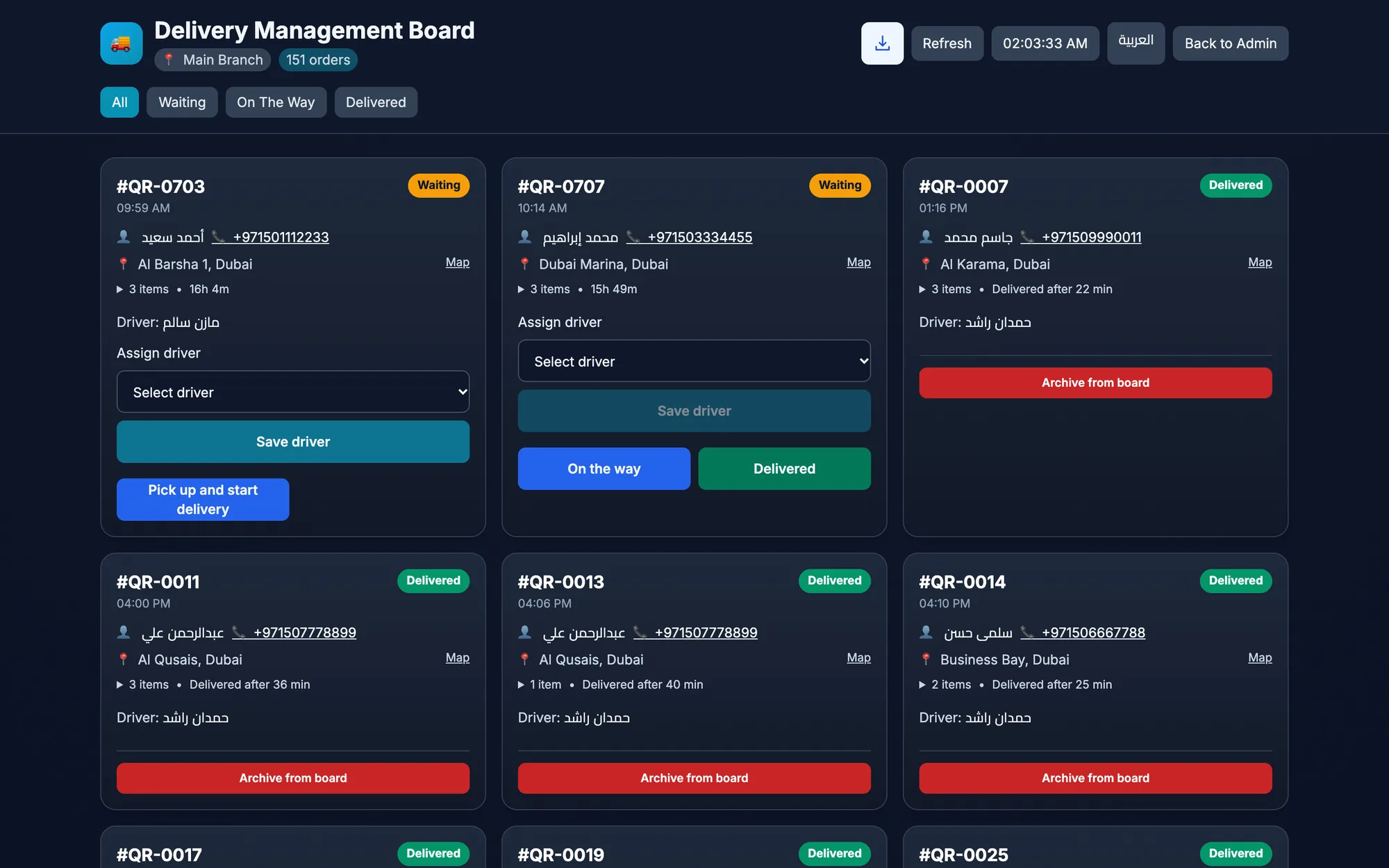
Delivery-Only Kitchen POS: How to Set Up a Dark Kitchen
A delivery-only kitchen POS keeps orders, prep, drivers, and channel reports in one flow. Learn how to set up a cloud kitchen or dark kitchen for speed and control.