




















Restaurant POS System: The Complete Guide From Order to Closing
From the first order to the closing report: what a restaurant POS system should do, with practical checklists for tables, the kitchen, food cost and cash.
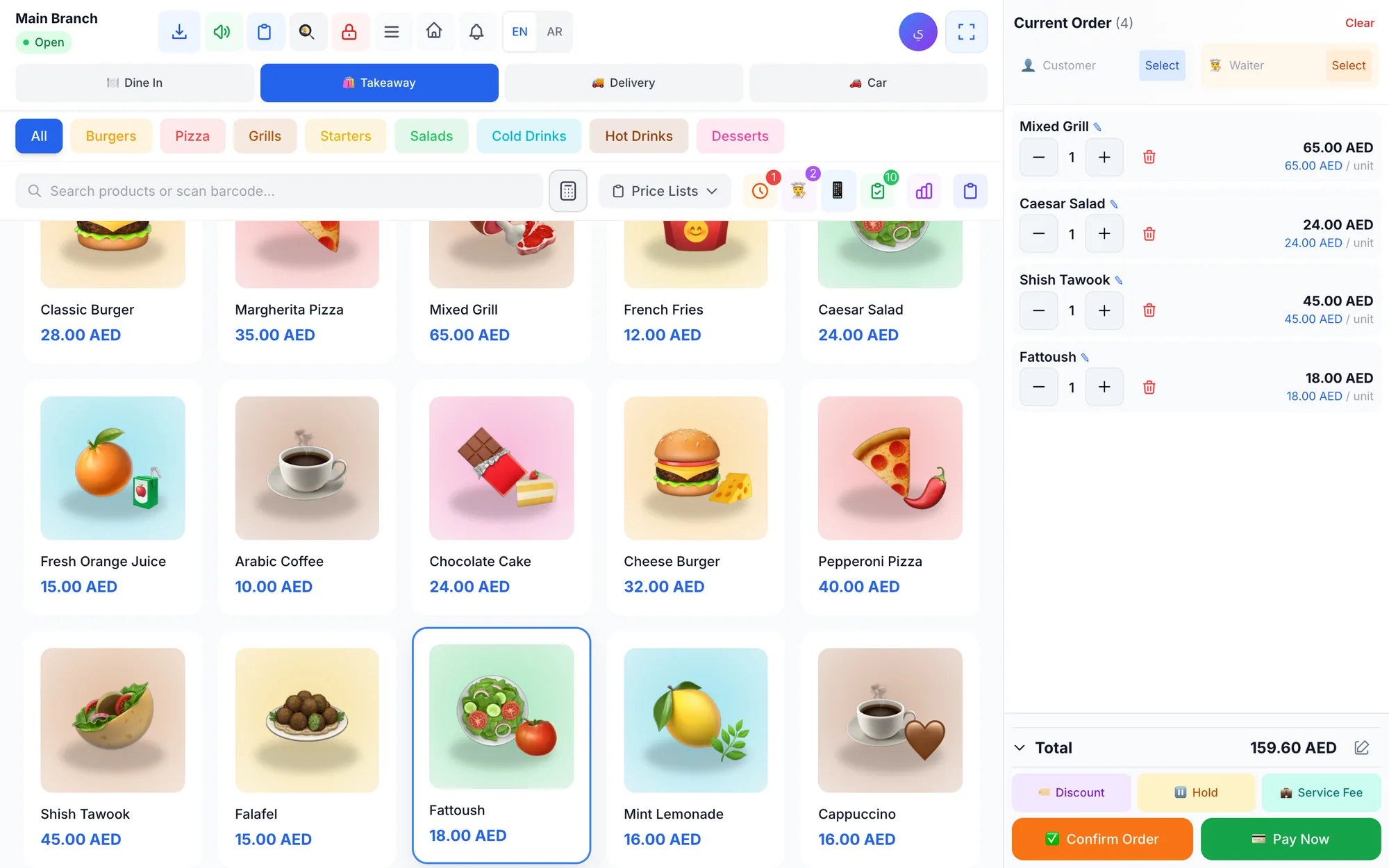
A restaurant POS system is the software and hardware that runs every order from the moment a guest orders to the moment you close the day. A good one takes dine-in, takeaway, delivery and drive-up orders, sends them to the kitchen, splits bills, tracks ingredients and shows you exactly what you sold and earned.
A cash register can total a bill. A restaurant needs much more: tables that open and close, a kitchen that sees orders the second they are placed, waiters who do not walk back and forth with notepads, and an owner who knows the cost of every plate. When these pieces live in separate tools, orders get lost and margins disappear quietly.
This guide walks through everything a restaurant POS should do, from the first order to the closing report, with practical checks you can use whether you run a café in Dubai, a family restaurant in Riyadh or a burger kitchen in London.
- A restaurant POS should handle every order type you serve: dine-in, takeaway, delivery and drive-up.
- Orders should reach the kitchen instantly, on a kitchen display or the right kitchen printer.
- Linking recipes to ingredients turns your POS into a food-cost tool, not just a till.
- Shift counts, permissions and an audit log protect your cash.
- Test any system during a real shift before you commit.
What does a restaurant POS system do?
Think of a restaurant POS as the nervous system of the business. Every order passes through it, and every part of the team reads from it: the floor, the kitchen, the cashier, the delivery driver and the owner. Here is the journey of a typical dine-in order:
- The guest is seated and the table is opened on the POS or on a waiter's phone.
- Items are added, with notes such as “no onions” or “extra spicy”.
- The order goes straight to the kitchen screen or to the right kitchen printer.
- The kitchen marks items as preparing, then ready, and the waiter is alerted.
- The guest asks for the bill, which can be split between guests or paid with cash and card together.
- The ingredients used in each dish are deducted from stock automatically.
- At closing, the cashier counts the drawer and the system shows any shortage or surplus.
If any step in that chain depends on paper or memory, that is usually where mistakes, delays and losses come from.
Which order types should a restaurant POS support?
Most restaurants now earn money through more than one door. A coffee shop may serve guests at tables, a queue at the counter and cars waiting outside, all in the same hour. Your POS should treat each order type differently, because each one needs different information.
| Order type | What the POS must capture | Typical example |
|---|---|---|
| Dine-in | Table, zone, waiter, guests | Family dinner in a mall restaurant |
| Takeaway | Customer name, pickup time | Office lunch collected at 1 pm |
| Delivery | Address, phone, driver, map | Evening orders across the city |
| Drive-up | Car plate number | Morning coffee for commuters |
Delivery apps deserve a note. Even when orders come from third-party apps, record each app as its own sales channel so you can see which one is actually profitable once commissions are taken out.
Tables, floor plans and split bills
The table map is the screen your team looks at most during service. It should mirror your real floor, with zones such as indoor, terrace or family section, and show at a glance which tables are free, ordering or waiting for the bill.
Two everyday situations test a table system quickly. A group of six arrives and you push two tables together, so you need to merge them into one order. A guest asks to move from the terrace to inside because of the heat, so the order must follow them to the new table without being entered again.
Then comes the bill. Friends sharing dinner in Doha or colleagues paying separately at lunch expect the cashier to divide the check between guests in seconds, and to accept cash from one person and a card from another on the same bill.
How do orders reach the kitchen? KDS vs kitchen printers
The handover between the floor and the kitchen is where restaurants win or lose service. There are two proven ways to deliver orders, and many restaurants combine them.
Kitchen display system (KDS)
A kitchen display shows each order on a screen as new, preparing or ready, with a timer that reveals which tables have waited too long. Sound alerts announce new orders, guest notes appear clearly, and cooks can mark single items ready when one dish is finished before the rest. There is no paper to lose, smudge or misread.
Kitchen printers with routing
If your kitchen prefers paper, thermal printers still work well, as long as the POS routes each item to the right station: drinks to the bar, grills to the grill and desserts to the pastry section. A ticket that prints everything everywhere only moves the confusion around.
For a deeper comparison of screens and tickets, read our guide to the kitchen display system.
Taking orders at the table: waiter app and QR menu
Every trip a waiter makes from a table to the cashier and back costs time. Two tools shorten that trip:
- Waiter app: waiters take orders on their phones at the table and send them to the kitchen and the cashier at once. When food is ready, they get a notification instead of waiting at the pass.
- QR menu: guests scan a code on the table, browse the menu with photos, order and call the waiter from their own phone. The order lands on the POS like any other.
A waiter app suits full-service restaurants where staff guide the guest and suggest extras. A QR menu shines in busy cafés, food courts and places with many tourists, because guests can read the menu in a language they understand. Many restaurants use both: QR for drinks and simple orders, waiters for large tables.
Recipes, stock and food cost
Food cost is the number that quietly decides whether a restaurant makes money. A restaurant POS with recipes lets you link each menu item to its ingredients, for example a chicken shawarma plate to bread, chicken, garlic sauce, pickles and fries, with the quantity of each.
Once recipes are in place, every sale deducts ingredients from stock automatically, and every dish shows its cost and margin. That makes three decisions much easier:
- Which dishes to promote, because they sell well and earn well.
- Which prices to raise when supplier costs go up.
- When to reorder, before the kitchen runs out in the middle of service.
Our article on recipe costing and food cost control explains how to calculate your food cost percentage step by step.
Payments, shifts and closing the day
The end of the night is where small leaks become visible. A good restaurant POS turns closing into a routine instead of a guessing game.
Daily closing checklist
- Every table is closed and no order is left open by mistake.
- Held orders and unpaid balances are reviewed, each with a customer name attached.
- The cashier counts the drawer and the shift report shows any over or short amount.
- Cash, card and bank transfer totals match the card terminal and the bank.
- Refunds, voids and discounts are reviewed, each with its reason and the employee who made it.
- Sales, product and tax reports are checked before tomorrow's orders to suppliers.
Permissions matter here too. A cashier should not be able to void a paid order or give an unlimited discount without a manager's approval, and every sensitive action should be recorded with who did it and when.
How Quip POS handles a restaurant from order to closing
Quip POS is a cloud POS built for restaurants and cafés as well as shops, salons, laundries and repair centres. Everything described above lives in one system, and every device and branch stays in sync.
- Four order types: dine-in with tables, takeaway, delivery, and drive-up with the car plate number.
- Table map: zones, moving and merging tables, and splitting the bill between guests.
- Kitchen display: new, preparing and ready, timers per order, sound alerts, guest notes and item-level ready marks, on any screen or tablet with a browser. Kitchen printers work too, with each item routed to the right printer.
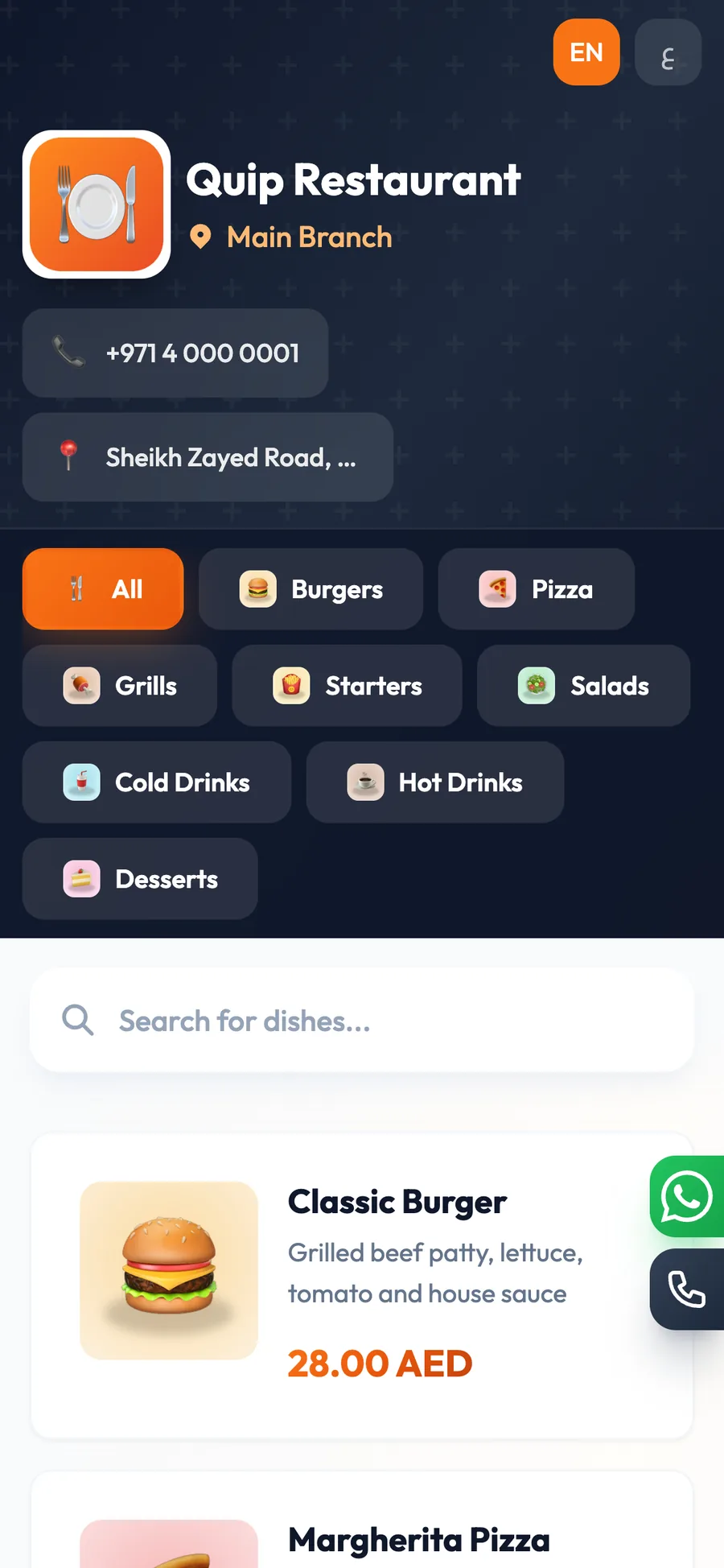
- Waiter app and QR menu: waiters order from their phones and are notified when food is ready; guests order and call the waiter from a QR menu on quip.menu, with more than 20 designs and a menu per branch and table.
- Recipes: ingredients deducted automatically, with the cost and margin of every dish.
- Delivery board: assign drivers, see the customer's address on a map and follow a timer until delivery.
- Control: shifts with cash counts and over/short reports, mixed payments, refunds and voids with a required reason, roles for cashiers, waiters, kitchen staff and drivers, and an audit log.
The desktop app for Windows and Mac keeps selling and printing offline and syncs when the connection returns. The whole system works in 20 languages, and menus and receipts use two languages you choose, such as Arabic and English. See every feature on the restaurant POS page.
How to get started
The fastest way to judge any restaurant POS is to run a real service on it. Open the live restaurant demo to click through tables, the kitchen display and reports in a ready-made company, then start a 14-day free trial with no card and set up your own menu. If you are still comparing options, our checklist of the best POS for restaurants lists the questions to ask any vendor.
Frequently asked questions
What is the best POS system for a restaurant?
Can a restaurant POS work without internet?
Do I need a kitchen display or a kitchen printer?
How does a restaurant POS calculate food cost?
What hardware does a restaurant POS need?
How much does a restaurant POS system cost?
Talk to the Quip POS team
Tell us about your business and we will show you the right setup, help you add your products and connect your printers.
Related articles
Restaurants & cafés
Opening a Restaurant: Technology and Operations Checklist
Before you open a restaurant, make sure your menu, printers, kitchen screens, staff roles and payment methods are ready. This checklist helps you test service before day one.
 Restaurants & cafés
POS for Bakeries and Sweet Shops: A Practical Guide
A bakery POS should speed up the counter, manage variants, track recipe cost, hold pre-orders until pickup and record wastage. Here’s what to look for.
Restaurants & cafés
Table Management for Restaurants: Map, Move, Merge and Split Bills
Learn how to organise restaurant tables with zones, move and merge parties smoothly, and split the bill without slowing service. Practical tips for faster turnover and fewer mistakes.