




















Cloud POS vs Cash Register: Which Is Right for Your Business?
A side-by-side comparison of cloud POS and traditional cash registers: data, reports, stock, branches, updates, offline working and cost, plus when a register is still enough.
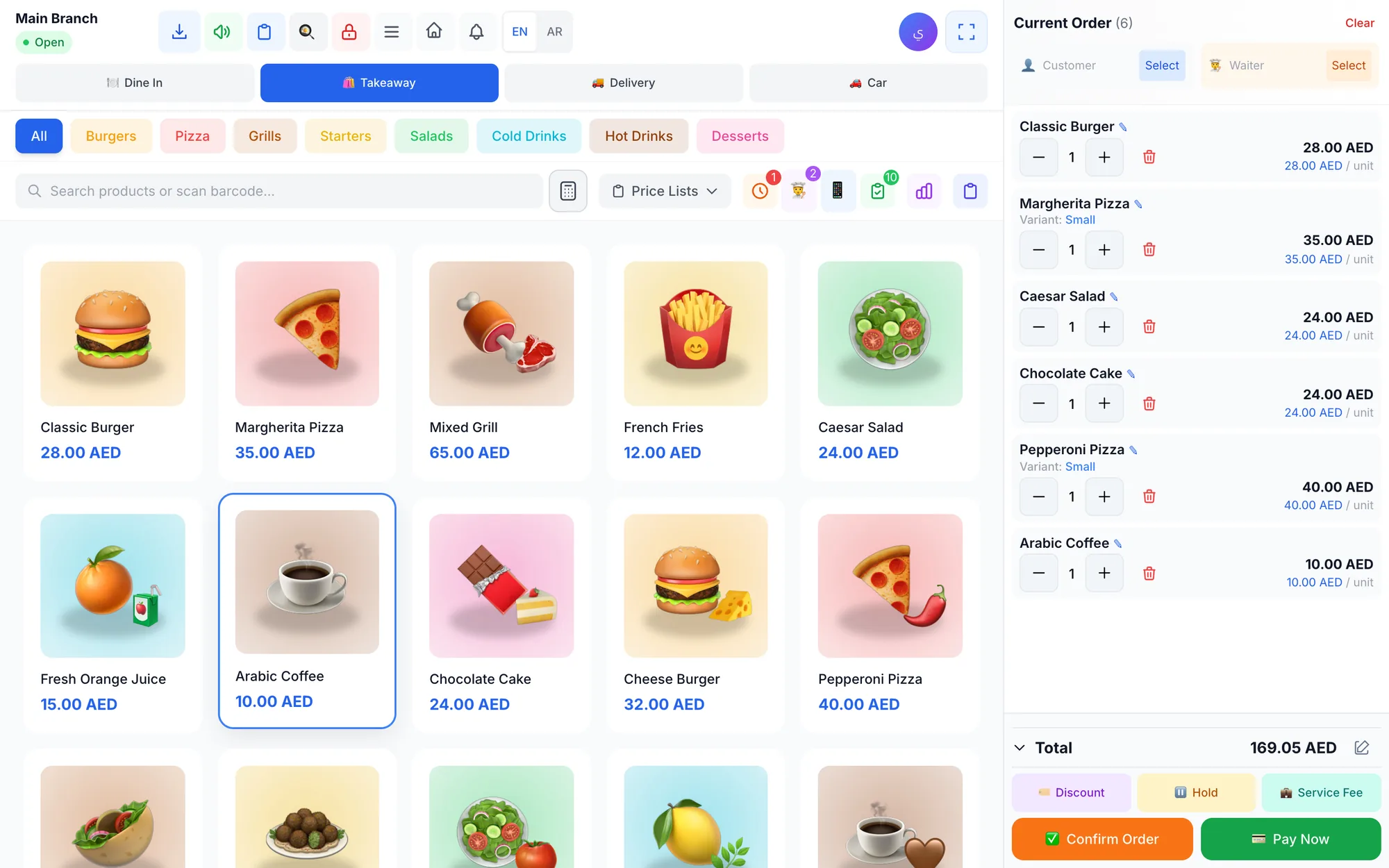
A cash register records sales and stores cash at one counter, with totals kept inside the machine. A cloud POS is software that records every sale online, updating stock, staff, customers and reports in real time across all devices and branches. A cash register can suit a tiny single-product stall; most growing businesses gain more from a cloud POS.
For decades the cash register was the heart of every shop: a drawer, a keypad, a paper roll and an end-of-day total. It still works, and for some businesses it is enough. But it was built to answer one question, how much money came in today, and modern owners need answers to many more.
This comparison looks at both options across the things that matter day to day: data, reports, stock, branches, updates, offline working and cost. It ends with a clear test of when a cash register is still the sensible choice.
- A cash register totals sales, while a cloud POS turns every sale into stock, staff and customer data.
- With a cloud POS you can see live sales and reports from anywhere, on any device.
- Stock control, multiple branches and staff permissions are where cloud POS pulls far ahead.
- Choose a cloud POS with an offline-capable app so an internet outage does not stop sales.
- A cash register can still be enough for a single counter with few products and no staff.
What is the difference between a cloud POS and a cash register?
An electronic cash register is a self-contained machine. Prices are programmed into keys or departments, each sale adds to a running total, and at the end of the day you print a summary and reset it. The data lives inside the machine, or on a paper roll, and rarely leaves it.
Many registers print an X report for a check during the day and a Z report that closes the day. That is roughly the limit of their reporting: totals by department and by payment type, with little detail about individual items, staff or customers. Some newer registers can export a file or connect to a computer, but they still lack live stock, staff permissions and remote access.
A cloud POS is POS software that runs on screens, tablets, computers or phones and stores its data securely online. Each sale is recorded with the item, price, payment method, employee, customer and time. Because the data sits in one place, every device and branch sees the same products, prices and stock, and the owner can open the reports from anywhere.
Cloud POS vs cash register: side-by-side comparison
| What you need | Traditional cash register | Cloud POS |
|---|---|---|
| Access to data | At the counter only | Any device, anywhere |
| Reports | Daily totals | Sales, products, staff, profit |
| Stock | Not tracked, or very basic | Live stock and low-stock alerts |
| Multiple branches | Separate machines, separate totals | One system, combined reports |
| Updates | Reprogrammed by hand | Automatic |
| Staff control | Basic clerk keys | Roles, permissions and audit log |
| Customers | Not recorded | History, balances, loyalty points |
| Offline | Works without internet | Works offline with the right app |
| Upfront cost | Machine purchase | Low, often on devices you own |
How do reports and stock control compare?
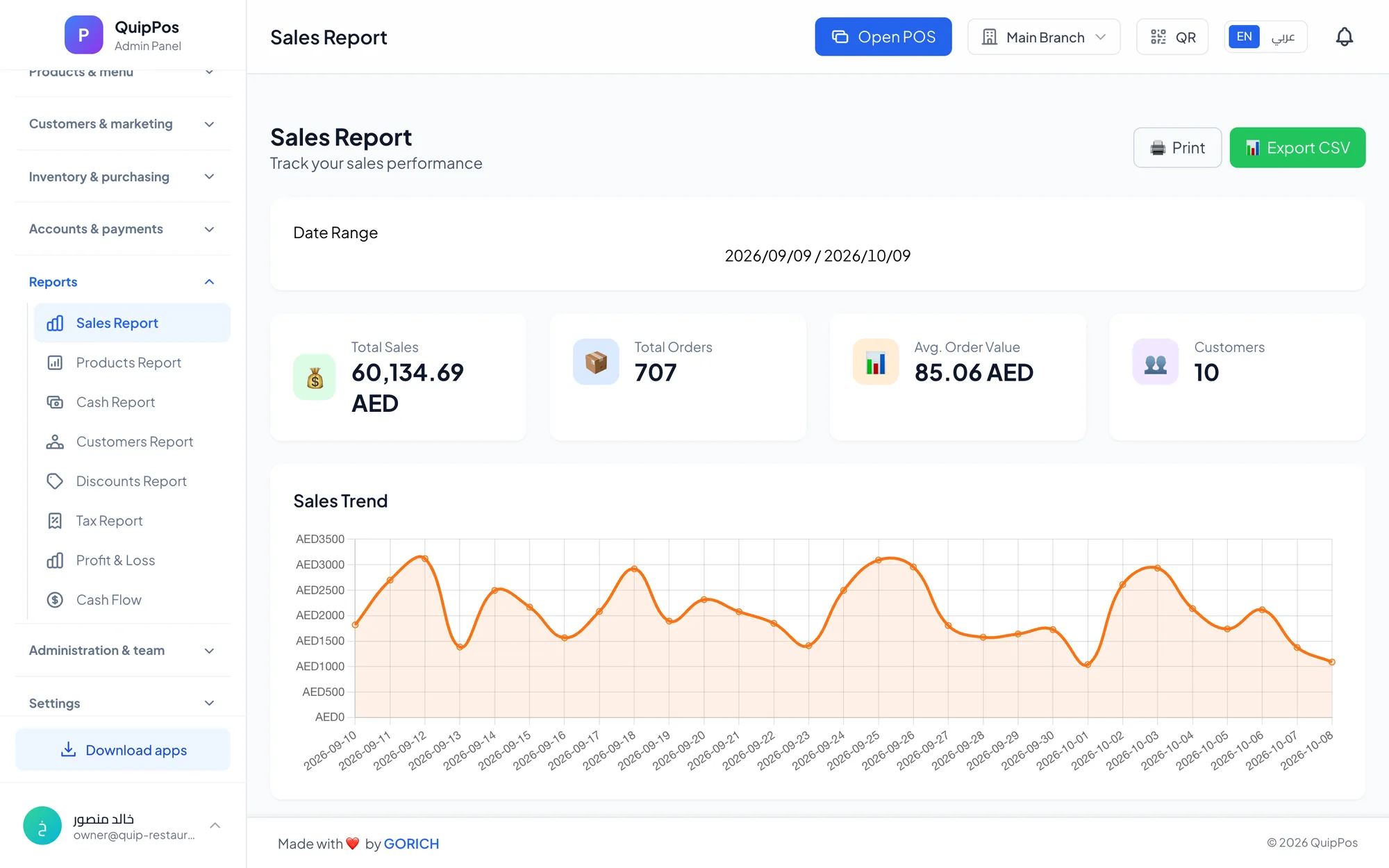
A cash register tells you how much you sold. A cloud POS tells you what sold, when, to whom and at what margin, and that changes decisions. A café owner in Dubai can see that iced drinks double after 2 pm and schedule staff accordingly. A boutique in Jeddah can spot that one size of a dress always sells out first and reorder it earlier.
Stock is where the gap is widest. With a cash register, stock is counted by hand and losses are discovered weeks later. With a cloud POS, each sale reduces stock automatically, purchases from suppliers increase it, and adjustments need a reason. Restaurants can go further by linking dishes to ingredients, so every plate sold reduces the ingredients it uses and shows its real cost.
- See today's sales, paid and unpaid, from your phone.
- Know your best sellers and slow movers by item and by branch.
- Get warned before a popular item runs out.
- Track discounts, refunds and voids by employee.
- Read profit and loss, not just revenue.
Discount and refund reports by employee also reveal patterns a register hides, such as one shift that gives far more discounts than the others. A cloud POS also remembers customers: purchase history, balances and loyalty points. A regular at a Riyadh bakery is recognised and rewarded at the counter without a paper stamp card.
Multiple branches, staff control and updates
With cash registers, each branch is an island. You collect totals by phone or photo at closing, change prices on every machine by hand, and trust that each cashier followed the rules. A cloud POS keeps all branches in one system: each branch can have its own prices, stock and settings, and the owner sees a combined report.
Picture a juice bar with branches in Dubai Marina and Deira. With registers, the owner learns at midnight what each branch sold. With a cloud POS, they can compare both branches at lunchtime and move stock or staff before the evening rush.
Staff control improves too. Each employee signs in with their own PIN and role, so a cashier can sell but not issue refunds, while a manager can approve them. Sensitive actions such as voids and refunds require a reason and appear in an audit log. Updates arrive automatically, so new features and fixes reach every device without a technician visit.
Can a cloud POS work without internet?
This is the most common worry about cloud POS, and a fair one. A system that only works in a browser stops when the connection drops, and an outage on a busy evening can cost real money. For a busy café, twenty minutes offline at lunchtime can mean dozens of lost orders.
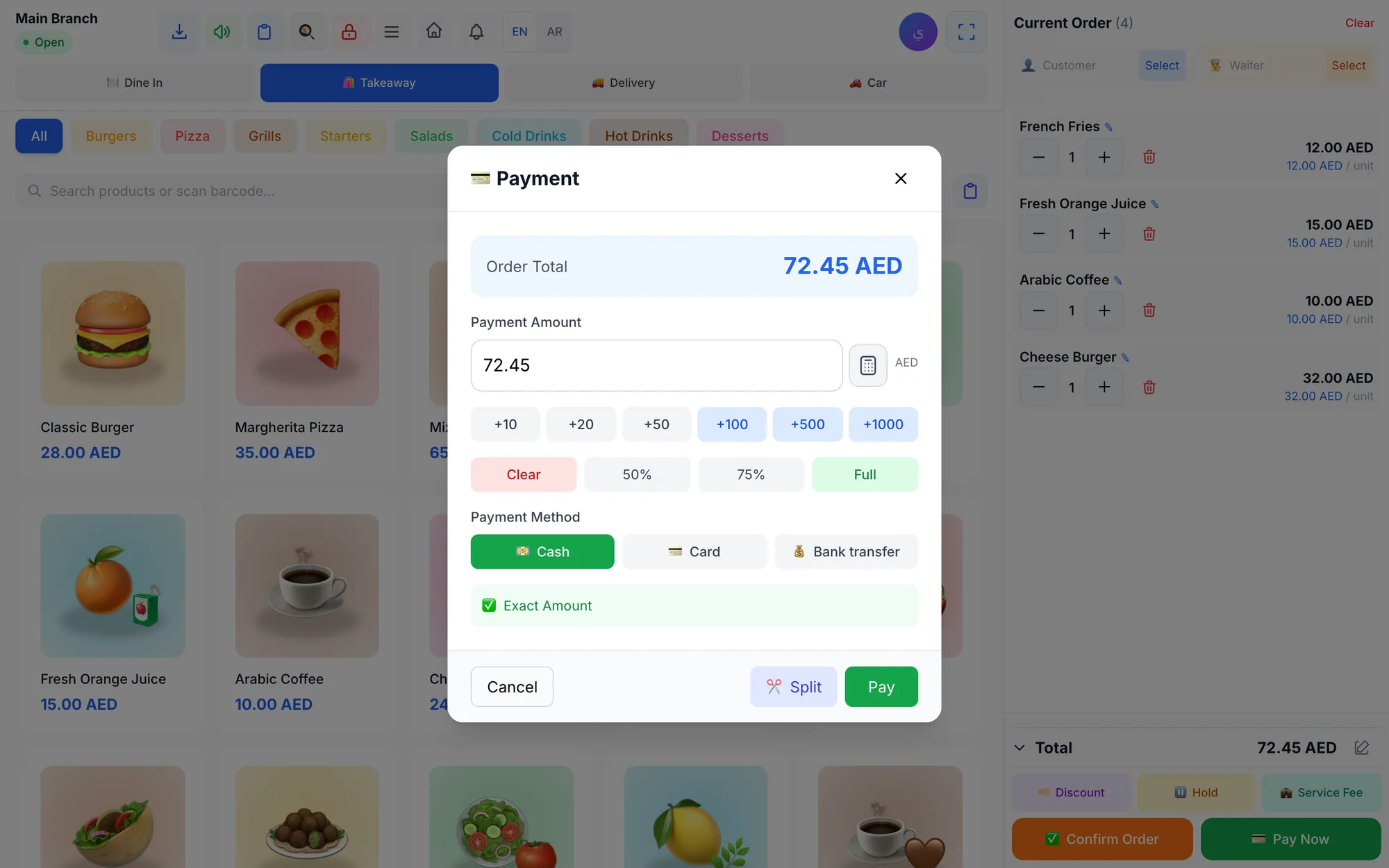
The answer is to choose a cloud POS with a desktop or mobile app that keeps working offline. The best ones keep selling and printing receipts without internet, then sync every order automatically when the connection returns, so the reports stay complete. Offline mode turns a lost lunch rush into a short delay in syncing. Test this during a trial by disconnecting the router mid-sale, and prepare a few simple habits:
- Install the desktop app on the main counter computer.
- Connect the receipt printer over the local network or USB so printing does not depend on the internet.
- Keep a mobile hotspot as a backup connection.
- After an outage, check that every order has synced.
Our guide to offline POS has the full preparation checklist.
Is a cash register really cheaper?
The purchase price of a basic cash register can look attractive, and there is no monthly fee. But a fair comparison includes what each option costs you over a year:
- Hours spent counting stock and reconciling totals by hand.
- Stock losses and ingredient waste you cannot see.
- Unrecorded discounts, voids and refunds.
- Reprogramming prices, and replacing a machine that only does one job.
A cloud POS subscription often runs on hardware you already own, such as a laptop or tablet, plus a standard receipt printer. For many small businesses, the time and losses it saves outweigh the subscription within the first months. See our full breakdown of POS system costs for the items to compare.
There is also the cost of growing. A register bought for one counter does not become a two-branch system; you buy another machine and reconcile two sets of totals. A cloud POS adds the new branch to the same account and the same reports.
A register also carries a risk cost. If it breaks or is stolen, the totals stored inside it may go with it. With a cloud POS, the data lives online and a replacement device simply signs in and carries on.
When is a cash register still enough?
A cash register remains a reasonable choice if most of these are true:
- You have one counter and plan to keep it that way.
- You sell a handful of products with fixed prices.
- You do not need to track stock item by item.
- You work alone or with one trusted person.
- You never need reports beyond a daily total.
If you keep a register for now, still record the daily totals somewhere you can review over time, and count your stock at fixed intervals so losses do not go unnoticed for months.
As soon as you add staff, products with variants, a kitchen, appointments, a second branch or a wish to know your margins, a cloud POS will pay for itself. When you are ready, our guide on switching to a new POS without stopping sales walks you through the move.
How Quip POS works as a cloud POS
Quip POS keeps your data in the cloud, with every device and branch in sync. It runs in any web browser with nothing to install, and the desktop app for Windows and Mac keeps selling and printing offline, then syncs orders when the connection returns. iPhone, iPad and Android apps cover cashiers, waiters and managers on the move.
Compared with a cash register, you get a live dashboard; reports for sales, products, customers, discounts, tax, cash and profit and loss; live stock with low-stock alerts; branches with their own prices and stock; roles with PIN sign-in; and an audit log. Each shift closes with a cash count and an over/short report, a far more useful end-of-day check than a Z report. Customers are saved with purchase history and balances, and the loyalty program awards points on every purchase that can be redeemed as discounts. Data is isolated per company and branch over encrypted connections. It works with standard ESC/POS thermal printers and any USB or Bluetooth barcode scanner. Browse the complete feature list to see what replaces your register.
Try the switch without risk
You do not have to give up your cash register on day one. Open the live demo to see a ready company for your type of business, then start a 14-day free trial with no card and run it next to your register for a week. Compare the reports at the end of the week and decide with real numbers.
Frequently asked questions
What is the difference between a POS and a cash register?
Is a cloud POS safe for my business data?
Can a cloud POS work when the internet is down?
Is a cash register cheaper than a POS system?
When should I replace my cash register with a POS?
Can I keep my receipt printer when switching to a cloud POS?
Talk to the Quip POS team
Tell us about your business and we will show you the right setup, help you add your products and connect your printers.
Related articles
POS guides
Best POS System in 2026: How to Choose the Right Point of Sale
There is no single best POS system for everyone. Use these criteria, red flags and a weighted scoring checklist to find the point of sale software that fits your business.
 POS guides
What Is a POS System? A Complete Guide for Business Owners
A plain-language guide to POS systems: the hardware and software, what happens at checkout, how stock and reports work, cloud vs local, and who needs one.
 POS guides
POS System in the UAE and Gulf: How to Choose the Right One
What businesses in Dubai, Abu Dhabi, Riyadh and Doha need from a POS system: bilingual receipts, staff languages, tax reports, AED pricing, WhatsApp and local support.