




















WhatsApp Receipts and Customer Messages: A Guide for Businesses
How to send receipts and order updates on WhatsApp from your own number, what customers actually want to receive, and the privacy habits that keep their trust.
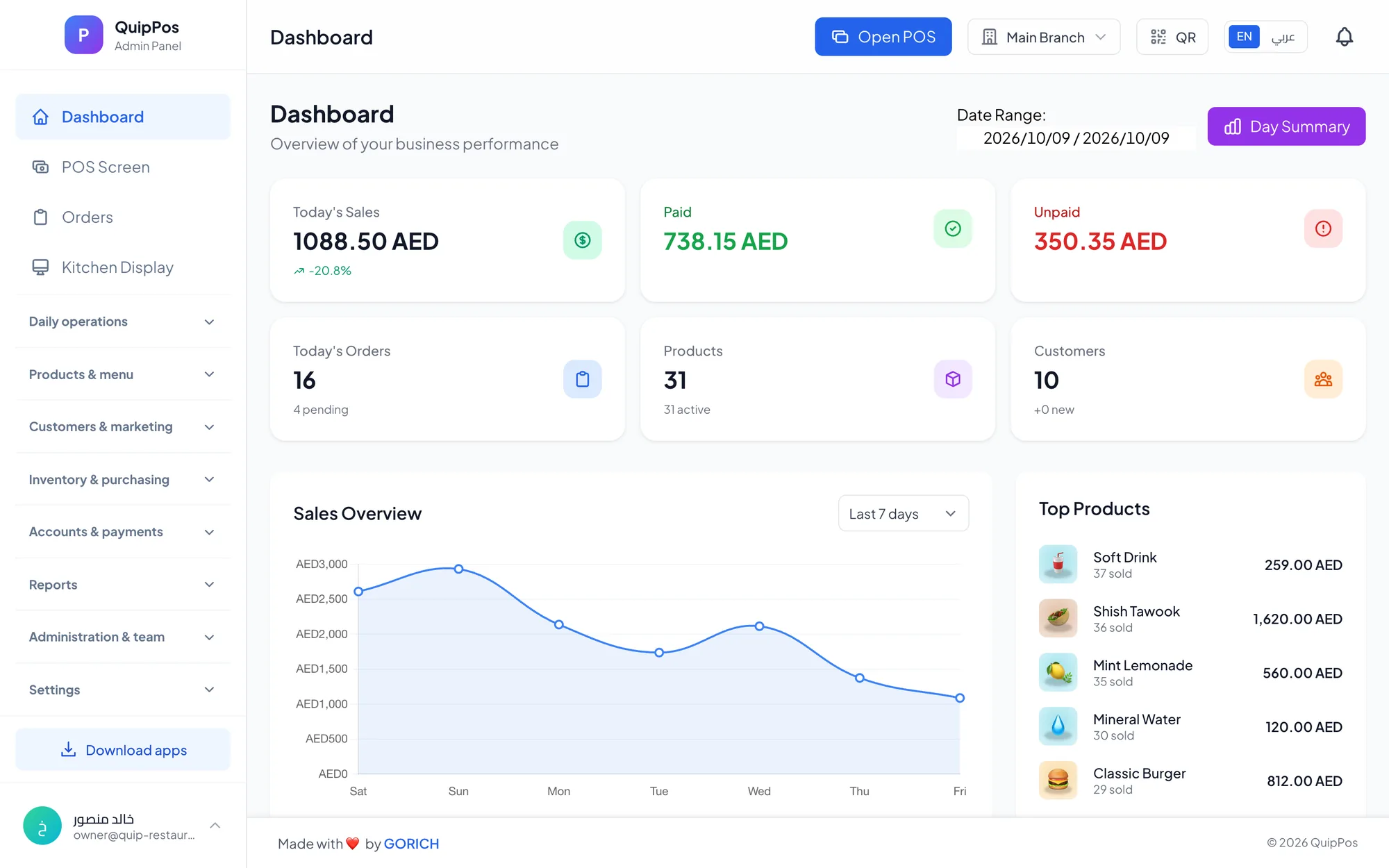
WhatsApp receipts are digital receipts sent to a customer’s WhatsApp right after payment, ideally from the business’s own number. Instead of a paper slip that fades or gets lost, the customer keeps a searchable copy on their phone, and the business gains a direct channel for order updates, questions and follow-up, used with the customer’s permission.
In the Gulf and in many markets worldwide, WhatsApp is already where customers talk to their laundry, salon, repair shop and favourite café. A laundry in Abu Dhabi that sends “your 8 pieces are ready for pickup” saves a phone call; a phone shop in Riyadh that sends the invoice at checkout never has to search for a lost paper receipt during a warranty claim.
This guide covers what WhatsApp receipts are, why your own number matters, which messages customers actually want, how to respect consent and privacy, and how to write messages that are short and useful.
- Send receipts from your own business number so replies reach you and customers recognise the sender.
- Ask before you message: collect the number at checkout with the customer’s agreement.
- Send what relates to the purchase: the receipt, “ready for pickup”, an appointment reminder.
- Keep messages short, clear and in the customer’s language.
- Never send card details or anything a customer would not want on a lock screen.
What is a WhatsApp receipt and how does it work?
At checkout, the cashier enters the customer’s mobile number or picks the customer from the database. When the sale is completed, the POS sends a message to that number with the receipt: the business name, the items, the total, the payment method and an order or invoice number. The customer gets it in the same app they use for family and friends.
Because the message sits in a normal chat, the customer can reply, ask a question or forward the receipt to their company for reimbursement. For the business, every receipt is also a saved contact and a record of who bought what, linked to the customer profile in your POS.
The same channel then carries the updates that matter for the order: a laundry pickup notice, a repair quote waiting for approval, a takeaway order that is ready at the counter.
Why send receipts on WhatsApp instead of paper or email?
Paper still has its place, especially for customers who ask for it and for kitchens. But for most customer-facing receipts, WhatsApp is the channel people actually open.
| Channel | Customer keeps it? | Customer can reply? | Best for |
|---|---|---|---|
| Paper receipt | Often lost or faded | No | Customers who ask, quick walk-in sales |
| Yes, if the address is right | Yes, but slowly | Business buyers, formal invoices | |
| SMS | Yes, plain text only | Rarely | Short alerts |
| Yes, searchable in the chat | Yes, instantly | Receipts, order updates, follow-up |
There are practical wins too: fewer paper rolls, no lost-receipt arguments during returns or warranty claims, and a faster checkout when the customer does not wait for a slip to print.
When is paper still the better choice?
Keep the printer for kitchen tickets, for customers without a smartphone or who simply prefer paper, and for business buyers who need a stamped copy for their accounts. Many shops send every receipt on WhatsApp by default and print only on request, which cuts paper without forcing anyone to change habits.
Why does sending from your own number matter?
Customers decide in a second whether a message is trustworthy. A receipt from an unknown or shared number looks like spam; a receipt from the number printed on your shop sign, saved under your business name, looks like you.
- Replies come to you. When a customer answers “can I collect at 9?”, your team sees it.
- One identity. Receipts, updates and your normal customer conversations sit in one chat.
- Customers save the number. A saved contact makes future messages more likely to be read.
- You keep the relationship. If you change systems later, the conversations stay on your number.
Avoid sending receipts from a cashier’s personal phone. When that employee leaves, your customer conversations leave with them.
Which WhatsApp messages should you send customers?
The rule of thumb: send the messages a customer would be annoyed not to receive. Everything else needs a very good reason.
Restaurants and cafés
The receipt after payment, “your takeaway order is ready”, and a delivery confirmation. Keep promotions rare and relevant, such as a new menu for regulars who agreed to hear about it.
Laundries and dry cleaners
The drop-off receipt with the number of pieces and the pickup date, a “ready for pickup” message with the balance due, and a gentle reminder for orders left uncollected.
Repair and maintenance centres
The repair order number at intake, the quote waiting for approval, “your device is ready”, and the final invoice with the warranty terms.
Salons and retail stores
Appointment confirmations and reminders for salons; receipts, exchange policies and loyalty points balances for shops. Our guide to customer loyalty programs explains how points and messages work together.
What not to send
Skip forwarded chain messages, unrelated news, personal messages from staff and birthday wishes from a shop the customer visited once. Each of these teaches the customer to mute your chat, and a muted chat means your next “ready for pickup” message goes unread.
Consent, privacy and good practice
A WhatsApp number is personal data. Treat it with the same care as a customer’s address, and follow WhatsApp’s own business policies and your local data protection rules.
- Ask first. “Shall we send the receipt on WhatsApp?” is enough at the counter. Record the agreement.
- Stay on topic. Messages about the purchase are welcome; unrelated promotions without consent are not.
- Make stopping easy. If a customer asks you to stop, stop, and note it on their profile.
- Limit who sees numbers. Give staff only the access their role needs, and avoid exporting customer lists to personal phones.
- Never send sensitive data. No card numbers, passwords or health details; a message can appear on a lock screen.
- Respect quiet hours. Send updates during business hours unless the customer is waiting for that message.
How to write WhatsApp receipts and updates that work
Good customer messages are short, specific and easy to act on. Lead with the one thing the customer needs, include the order number, and end with what happens next.
- “Hi Sara, your order #1042 (8 pieces) is ready for pickup until 10 pm today. Balance due: AED 45.”
- “We have received your device on repair order MNT-0217. We will send you the quote after diagnosis.”
- “Thank you for your visit. Here is your receipt. You earned 30 loyalty points.”
Write in the language the customer uses with you. In multilingual cities such as Dubai or Doha, a receipt in Arabic and English covers most customers at once. Sign messages with the business name, not a staff member’s first name, so the customer knows who is writing even if they never saved your number.
Common WhatsApp mistakes to avoid
- Sending from a personal phone that leaves with the employee.
- Messaging customers who never agreed, or adding them to broadcast lists.
- Long messages full of emojis and links that hide the order number.
- Weekly promotions to customers who came once.
- Typing numbers by hand without checking the country code, so receipts reach the wrong person.
- Nobody reading the replies, so customer questions go unanswered.
A simple fix for the last point: make one person per shift responsible for the business WhatsApp, and treat an unanswered customer reply like an unanswered phone call.
How Quip POS sends WhatsApp receipts and messages
Quip POS sends WhatsApp receipts and messages to customers from your business’s own number through QuipWhats, so the conversation stays with you. You can see how it connects with other tools on the integrations page.
- Every customer is stored in the customer database with purchase history, addresses and balances, so you can pick the customer at checkout.
- Receipts use the two content languages you choose, for example Arabic and English.
- It fits each business type: laundry orders with pickup dates and unpaid balances, numbered repair orders, salon appointments, and restaurant takeaway and delivery. See how laundries work with it in our laundry POS guide.
- Loyalty points, roles and permissions, and the audit log work alongside messaging.
Businesses in the Gulf can read more about local needs such as bilingual receipts and WhatsApp in our guide to choosing a POS system in the UAE and the Gulf.
Next step: send your first WhatsApp receipt
Try it with real sales before rolling it out to the whole team. Open the live demo to explore checkout and customer profiles, then start a 14-day free trial with no card, connect your business number, and send receipts to a handful of regular customers for a week. Their replies will tell you which messages to keep.
Frequently asked questions
Can I send receipts to customers on WhatsApp?
Is a WhatsApp receipt valid as proof of purchase?
Do I need customer permission to send WhatsApp messages?
Should I use my personal WhatsApp number for the business?
What should a WhatsApp receipt include?
How often should I message customers on WhatsApp?
Talk to the Quip POS team
Tell us about your business and we will show you the right setup, help you add your products and connect your printers.
Related articles
 Customers & growth
Customer Loyalty Program Guide: Points, Tiers and Repeat Visits
How to design a points system and tiers that bring customers back without hurting your margin, with ideas for restaurants, salons and shops and the metrics that matter.
 Retail stores
Flower Shop POS for Gift, Chocolate and Bouquet Orders
A flower shop POS should handle bouquets, chocolates, gift bundles, delivery, and deposits without slowing checkout. This guide shows what to set up before busy seasons.
 Restaurants & cafés
Opening a Restaurant: Technology and Operations Checklist
Before you open a restaurant, make sure your menu, printers, kitchen screens, staff roles and payment methods are ready. This checklist helps you test service before day one.