




















Flower Shop POS for Gift, Chocolate and Bouquet Orders
A flower shop POS should handle bouquets, chocolates, gift bundles, delivery, and deposits without slowing checkout. This guide shows what to set up before busy seasons.
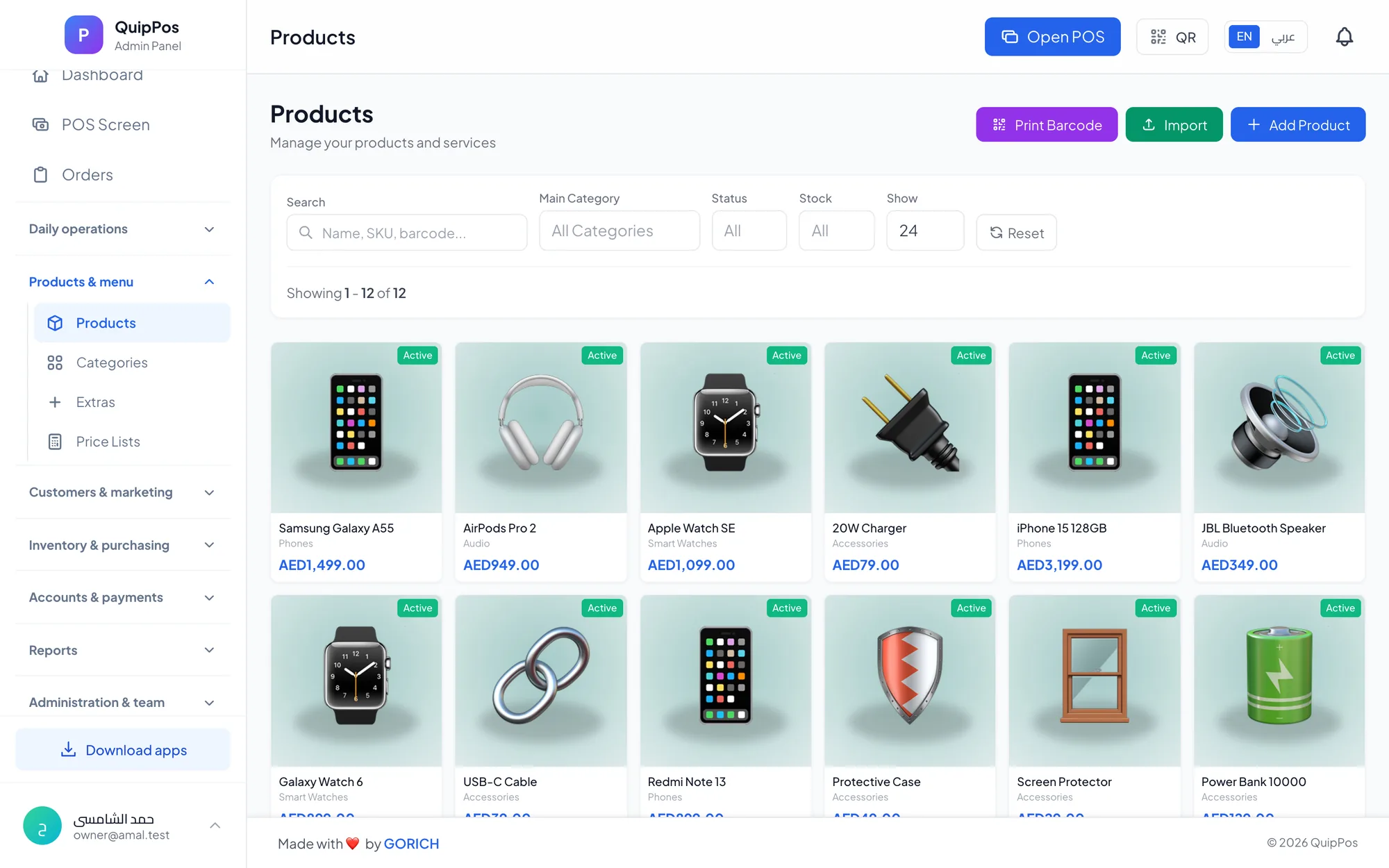
A flower shop POS helps you manage bouquets, gift boxes, chocolates, delivery orders, and last-minute seasonal rushes from one screen. If you sell both ready-made items and custom arrangements, the right setup keeps stock, balances, and customer updates organised without slowing the counter.
This matters most on busy days. A Valentine’s Day queue, a Mother’s Day delivery wave, or a same-day anniversary order can overwhelm a manual till fast. A good system should help your team move quickly, keep records accurate, and follow up on every unpaid balance.
For gift shops and chocolate shops, the same principles apply: fast checkout, accurate stock, and clear customer communication. The question is not just whether the POS can take payment — it is whether it can support the way you actually build, sell, and deliver orders.
- Set up arrangements as bundles with clear components, pricing, and notes.
- Plan for occasion peaks with stock, delivery slots, and pre-payment rules.
- Use held orders, balances, and WhatsApp updates to reduce missed sales.
- Choose a retail POS that works on the devices your team already uses.
What makes a flower shop POS different?
A flower shop does not sell only single items. One order may include a bouquet, a vase, a card, a box of chocolates, and a delivery fee. Another may start as a simple arrangement and turn into a larger gift order when the customer adds extras at checkout.
That is why a generic cash register is often not enough. You need a system that can handle fast item entry, custom notes, partial payments, and a customer record for repeat occasions such as birthdays, anniversaries, and congratulations orders. A good setup also helps if you run both a walk-in counter and a delivery workflow.
If you are comparing options, a broader retail POS guide is useful because flower and gift shops share the same core needs as other stores: stock control, barcode support, returns, customer histories, and branch-level pricing.
How to set up bouquets and gift bundles as products
The best way to manage arrangements is to decide which products are ready-made and which are built from components. A bouquet may look like one item on the receipt, but in the back room it can be made from roses, filler flowers, wrap, ribbon, a card, and sometimes a vase or chocolate add-on.
When you think in components, you can price more clearly and understand where your margin comes from. This also helps when your team changes from one season to the next. For a chocolate shop system, the same idea works for boxes, trays, baskets, and gift sets that combine several items into one sale.
| Arrangement | Possible components | Why it matters | What to track |
|---|---|---|---|
| Standard bouquet | Flowers, wrap, ribbon | Simple pricing and quick sale | Flower count and packaging use |
| Gift box | Chocolates, card, tissue, box | Avoid missing parts at pickup | Box stock and add-on items |
| Premium occasion set | Bouquet, vase, chocolates, note | Protect margin on larger orders | Deposit, balance, and delivery date |
| Seasonal bundle | Flowers, candle, teddy, wrap | Keep popular combinations ready | Fast-selling components |
Not every shop needs deep manufacturing style tracking, but every shop benefits from a clean item structure. Even if you do not list every stem separately at the counter, the back office should still know what goes into each arrangement so you can restock with confidence.
Practical setup tip
Make a short product list for the items you sell most often, then add custom notes for special requests. For example: “red roses, white wrap, no card” or “mix pink flowers, add Ferrero-style chocolate box, deliver after 5 pm.” This keeps the front desk fast and reduces misunderstandings when orders get busy.
How to handle occasion peaks without slowing down
Flower shops live around dates. A quiet Tuesday can turn into a high-pressure day when a school event, wedding, holiday, or apology order lands all at once. Gift shops and chocolate shops see the same pattern, especially when customers buy at the last minute.
The solution is preparation, not guesswork. Before the rush, look at what sold last year, set up your best-selling arrangements first, and make sure the team knows which products can be made quickly and which need extra time. If you have branches, each location should know its own stock and prices.
Use a simple checklist before the peak starts:
- Review the top arrangements and gift bundles you sell most often.
- Check stock for flowers, wrap, boxes, chocolates, cards, and add-ons.
- Set clear rules for same-day delivery and last-order times.
- Prepare printed or digital notes for common customer requests.
- Make sure staff know how to record deposits and balance payments.
- Test your printer, barcode scanner, and internet connection before the rush.
If you want a broader owner checklist for selecting features, this POS features guide is a helpful companion. It helps you separate the tools you truly need from the nice-to-have extras that do not change day-to-day work.
How to manage held orders, deposits, and unpaid balances
Many flower and gift orders are not settled in one payment. A customer may place a bouquet order in the morning, pay a deposit, and return later for pickup. Another may ask for delivery today but pay the balance on arrival. Your POS should make these cases easy to track.
Split and mixed payments matter here. You may take part cash and part card, or card plus bank transfer, depending on the order. Held orders are just as important, especially when a customer calls, changes the note, or adds chocolates after the initial purchase. If the balance is still open, it should be easy to follow up until it is collected.
That process is especially useful for wedding flowers, event gifts, and larger chocolate hampers. A clear balance record protects the business and gives staff a reliable answer when a customer asks, “How much is left to pay?”
When you organise these orders, keep the following details on every ticket:
- Customer name and phone number
- Pickup or delivery date and time
- Deposit amount and remaining balance
- Special notes, message card text, or colour preference
- Who prepared the arrangement or packed the gift
How to organise delivery and pickup properly
Delivery is not a side task for a flower shop. It is part of the product. A bouquet may look perfect in the store and still fail if it reaches the wrong address, arrives late, or goes out without the customer’s message card.
That is why delivery workflow matters. You need a clear list of orders, addresses, contact numbers, and expected times. If your shop uses drivers, the team should be able to assign the job, see what is in the order, and know whether it is paid or still waiting on a balance. For busy cities, even a few minutes can make a difference.
A delivery board is useful because it shows what is assigned, what is still pending, and what is already on the road. It also helps when several similar orders are leaving at once — for example, two red rose bouquets going to different buildings, or three gift boxes with different notes.
Pickup orders need just as much care. If a customer is collecting the item in person, the counter should show whether the order is ready, who prepared it, and whether the remaining amount has been paid. That saves time and avoids confusion during peak hours.
Why WhatsApp matters for flower, chocolate and gift shops
Customers often order gifts quickly and then want instant confirmation. WhatsApp works well for that because it is familiar, fast, and easy to check. A shop can use it to confirm the order, send a receipt, or remind the customer that the bouquet or gift box is ready.
This is especially useful when a sender is buying on behalf of someone else. For example, the person placing the order may not be the person receiving the gift. A quick message can confirm the name on the card, the delivery time, or any special instruction that would be easy to miss over the phone.
For more on this workflow, see WhatsApp receipts and customer messages. In a busy flower shop, the main benefit is simple: fewer missed details and fewer “Was my order received?” follow-up calls.
What to look for in a retail POS for gift shops
A flower or gift shop needs more than a pretty sales screen. Look for a POS that supports fast search, barcode scanning, item photos, discounts, branch-level controls, and a customer database with purchase history and balances. If you sell related items such as chocolates or small add-ons, price lists and stock tracking matter too.
Also think about the devices your team uses. A browser-based system is helpful for owners who want to check sales anywhere. A desktop app with offline selling and printing matters if your internet is not always reliable. Mobile apps can help cashiers, managers, or delivery staff stay connected while moving around the shop.
For shops that grow over time, the practical features are often the boring ones: permissions, audit logs, reports, and branch control. Those tools do not attract attention on day one, but they save time when your shop gets busier, adds a second branch, or starts handling more custom orders.
- Fast checkout with search, barcode scanning, and item photos
- Held orders, partial payments, and balance follow-up
- Delivery tracking with customer address and timing
- Customer records with purchase history and balances
- Reports for sales, discounts, and best sellers
If you want a deeper look at stock handling, the barcode inventory guide is useful for understanding how to keep your shelves and your system in sync.
How Quip POS fits a flower, chocolate or gift shop
Quip POS gives flower, gift and chocolate shops a cloud-based setup with an admin panel, a POS screen and apps, so every device and branch stays in sync. It works in a web browser, has desktop apps for Windows and Mac that keep selling and printing offline, and offers iPhone, iPad, Android, waiter, cashier and manager use cases where relevant.
For a busy shop, the most useful parts are the ones that simplify day-to-day work: fast touch checkout, split and mixed payments, held orders, unpaid balances, branch-level settings, customer records, and reports. If you need to send order updates or receipts, QuipWhats supports WhatsApp messages from the business’s own number. You can also use the live demo to test a ready company before you decide.
Quip POS also supports retail needs such as barcode scanning, quick search, stock tracking, returns and refunds, warehouses per branch, price lists, supplier invoices, and Excel import with images and prices. For an owner comparing options, that means the same system can support flowers, chocolates, and gift items without forcing the team into separate tools.
Read more on the main features page or review the pricing page if you want to compare plans before trying the system. If you prefer to test it first, the live demo is the fastest way to see the workflow in action.
A simple setup checklist before your next busy week
Before the next holiday rush, set up your shop so the team is not guessing under pressure. A few hours of preparation can save a full day of mistakes later.
- List your top-selling bouquets, gift boxes, and chocolate bundles.
- Write down the components or notes for each one.
- Decide how deposits, balances, and mixed payments will be recorded.
- Set clear delivery and pickup rules for busy hours.
- Make sure your staff know how to handle changes, holds, and customer messages.
- Test your printer, scanner, and order flow before the rush starts.
If you run more than one location, keep each branch’s prices and stock separate and review combined reports at owner level. If you are starting from scratch, a simple rollout can be enough: choose your main products, train the counter team, and add more structure as order volume grows. The goal is not complexity — it is calm, accurate selling when customers are in a hurry.
If you run a flower, chocolate, or gift shop and want to see whether the workflow fits your daily routine, try the 14-day free trial or open the live demo and test a ready retail setup before you commit.
Frequently asked questions
Can a POS system work for both flower shops and gift shops?
How do I track custom bouquets or gift bundles in a POS?
What features matter most for holiday rushes in a flower shop?
Can I take a deposit and collect the rest later for a gift order?
Why is WhatsApp useful for flower and chocolate shops?
Do I need stock control for flowers if they are not barcode items?
Talk to the Quip POS team
Tell us about your business and we will show you the right setup, help you add your products and connect your printers.
Related articles
Retail stores
Retail POS System: The Complete Guide for Stores and Shops
Barcodes, variants, returns, warehouses, suppliers and price lists: what a retail POS system should do, which features matter for your store and how to choose one.
Retail stores
Barcode Inventory Management for Small Shops: A Practical Guide
How small shops use barcodes to keep stock accurate: setup steps, daily scanning routines, adjustments with reasons, low-stock alerts and the errors to avoid.
Retail stores
Supermarket and Grocery POS: Fast Checkout and Stock Control
Checkout speed, barcode scanners, thousands of products from Excel, suppliers, price lists and cashier shifts: how to choose and run a POS for a supermarket or minimarket.