




















Mobile Phone Shop POS: Sales, Repairs and Warranties in One System
Devices, accessories, repair orders, technicians, spare parts and warranties: how a phone and electronics shop can run sales and after-sales service from one POS.
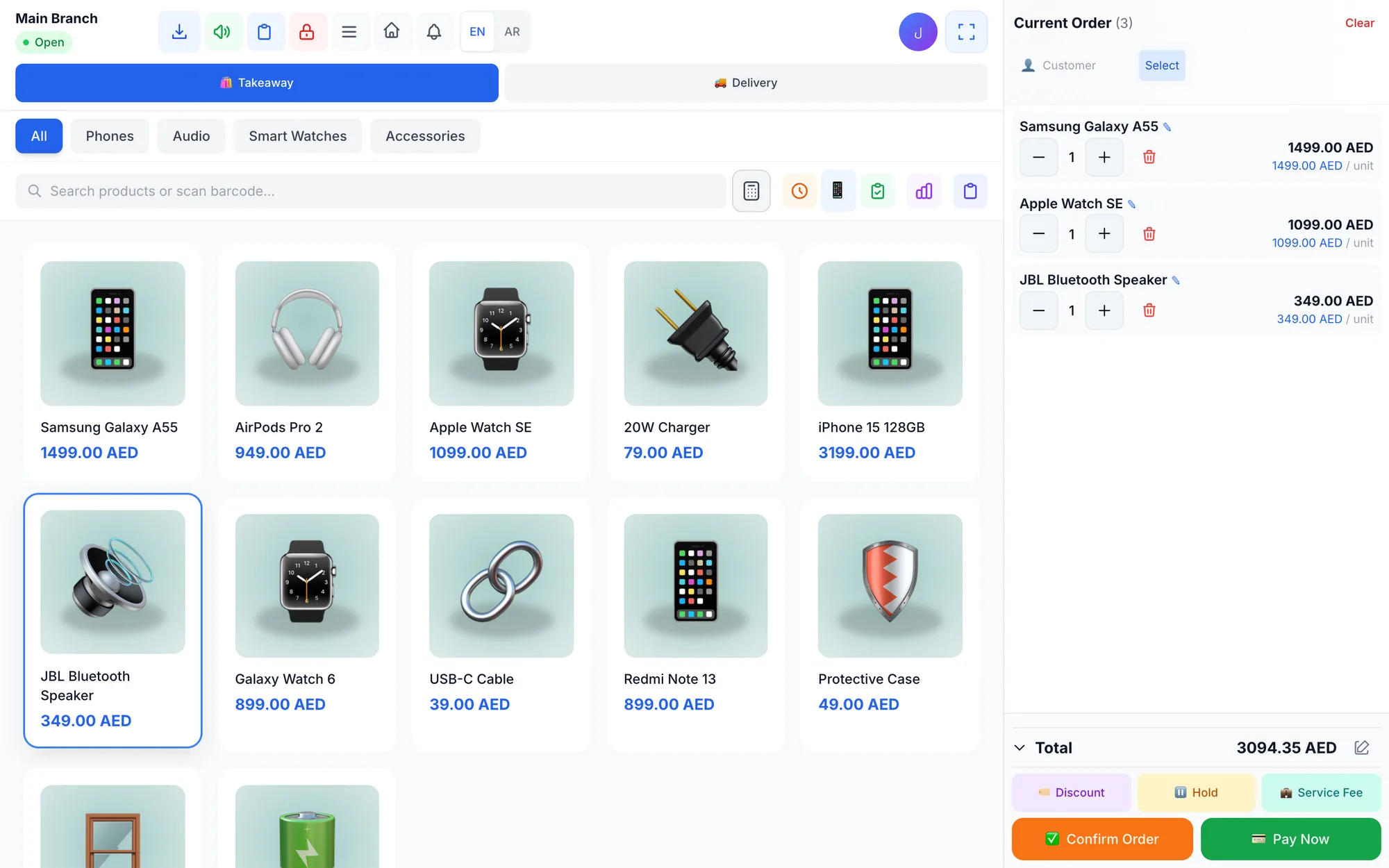
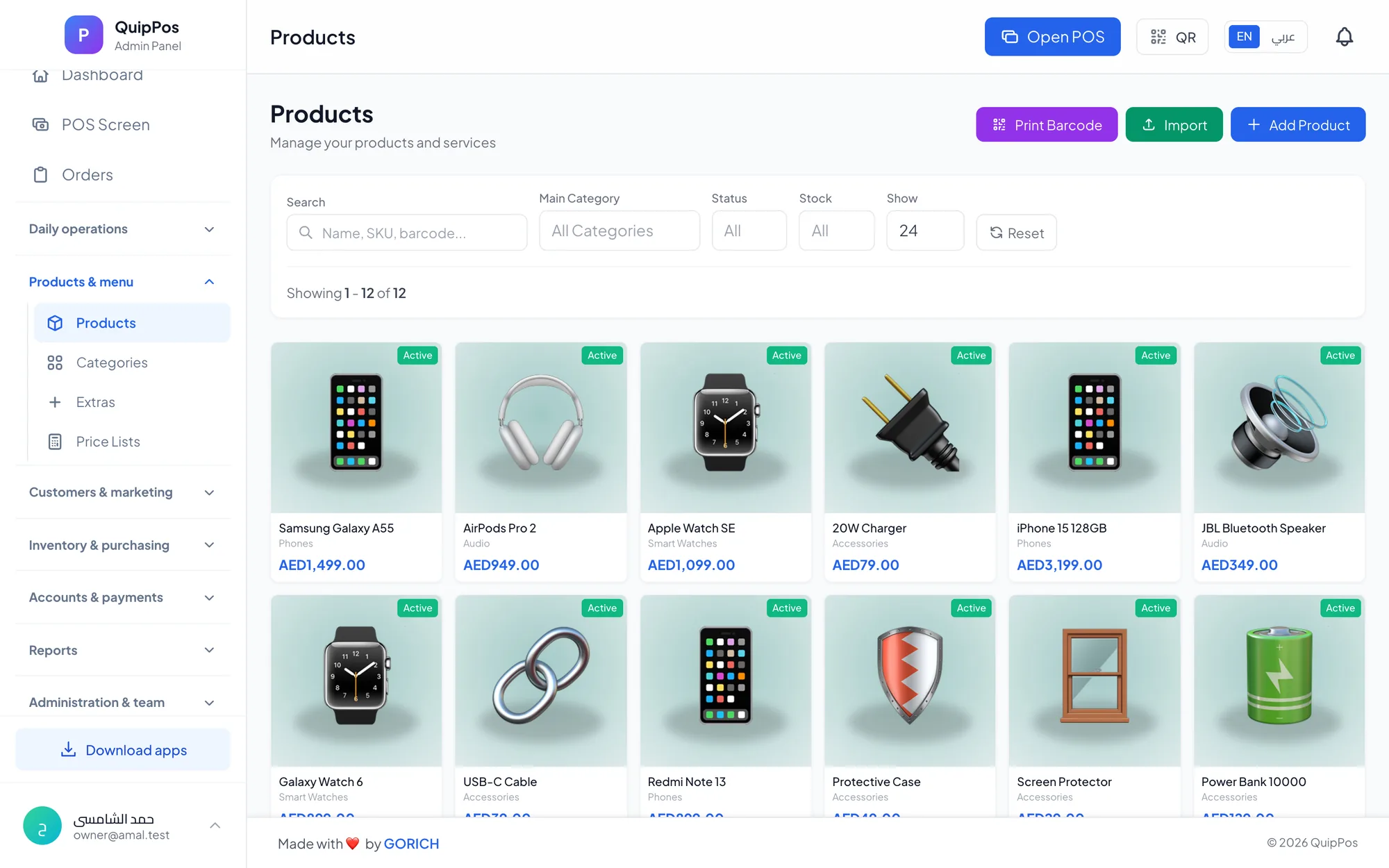
A mobile phone shop POS lets you sell devices and accessories by barcode, open numbered repair orders, assign each job to a technician, sell spare parts from tracked stock and record a warranty for every unit sold. Running sales, repairs and warranties in one system means one customer record and one set of numbers.
Phone and electronics shops are really three businesses under one roof. Device sales bring high ticket values but thin margins. Accessories such as cases, chargers, cables and screen protectors usually carry better margins, but they are small, numerous and easy to lose track of. Repairs add service income, and with it parts, technicians and promises to keep.
A shop on a busy street in Riyadh or an electronics store in Dubai's Karama may handle all three at the same counter within an hour. This guide shows how to keep each stream under control: barcoded stock, repair orders from drop-off to pickup, spare parts, warranties, cash control and the questions to ask before you choose a system.
- Track accessories by barcode like any other stock; they are often where the margin is.
- Every repair needs a numbered order, a receiving date, a status and an assigned technician.
- Spare parts used in repairs must leave stock, or the parts count will never match.
- A warranty recorded per unit sold, cancelled automatically on refund, settles counter disputes in seconds.
- Limit who can refund, void or discount high-value devices.
What makes a phone shop different from other retail?
Most shops sell products. A phone shop sells products and then looks after them. That combination needs a POS that handles both stock and service.
| Revenue stream | Examples | What the POS must track |
|---|---|---|
| Devices | Phones, tablets, smartwatches, laptops | Variants, price, warranty per unit |
| Accessories | Cases, chargers, cables, screen protectors | Barcodes, variants, low-stock alerts |
| Repair services | Screen, battery, charging port, water damage | Repair order, status, technician, service price |
| Spare parts | Screens, batteries, ports, back covers | Stock, cost, parts sold per repair |
When these four live in separate notebooks or apps, the owner never sees the full picture: which technician brings in the most repair income, whether parts stock matches the jobs done, or how much a customer has spent across purchases and repairs.
Selling devices and accessories with barcodes
Treat devices and accessories like any well-run retail stock. Scan every item at checkout so stock updates the moment it is sold.
Devices: variants for colour and storage
The same phone model often comes in several colours and storage sizes, each with its own price. Set them up as variants with their own price and stock, so a 256 GB black unit is never sold at the 128 GB price. Many shops also record the IMEI or serial number of each device sold; ask any vendor how this is handled and test it with your own stock during the trial.
Used phones
If you buy and sell used phones, make each used device its own item with its own price and condition notes, because two units of the same model rarely match in condition or battery health. Keep a clear record of where each device came from, and check your local rules on buying second-hand devices before you grow this side of the business.
Accessories: many small items, high margin
A wall of phone cases for dozens of models, each in several colours, is a real stock-control challenge. Use the manufacturer's barcode where there is one, generate barcodes for unbranded items, and set low-stock alerts on fast movers such as fast chargers and USB-C cables. Shops that also supply smaller resellers can keep a wholesale price list next to the retail price. The barcode inventory guide covers the counting routines that keep this kind of stock accurate.
Bundles and upsells at the counter
The best moment to sell a case and a screen protector is when the customer buys the phone. Train staff to offer them every time, and use a modest manual discount within the allowed limit when a customer buys the full set.
Managing repair orders from drop-off to pickup
Repairs are where shops win loyalty or lose it. A misplaced device, a forgotten promise or an unclear price does more damage than a slow sale. A clear repair workflow looks like this:
- Receive the device. Inspect it with the customer: screen cracks, scratches, missing parts, whether it powers on. Record the condition on the order.
- Open a numbered repair order with the receiving date, the customer's details and the reported fault. The number on the customer's receipt is how you find the device later.
- Quote the service. Use fixed prices for common jobs, such as a screen or battery replacement for a given model, so every staff member quotes the same.
- Assign a technician so responsibility is clear from the start.
- Update the status as the job moves: diagnosing, waiting for parts, in repair, ready.
- Record the parts used so they leave stock and appear on the bill.
- Contact the customer when the device is ready, collect payment and hand it back.
On privacy, ask customers to back up their data before handing over a device, and never write passcodes on paper tickets. A short privacy note at the counter builds trust before the customer even asks.
Give the customer a realistic ready time, and if a part is delayed, message them before they call you. A two-line WhatsApp message saves them a wasted trip and saves you a complaint.
Technicians, spare parts and repair pricing
When a shop has two or three technicians, the questions change: who is working on what, who is overloaded, and who is fastest at screen repairs. Assigning every repair order to a named technician answers those questions and stops jobs falling between two people.
Spare parts deserve the same discipline as accessories. Record purchase invoices for parts from suppliers, keep each part as a stock item, and make sure every part used in a repair is sold on that repair's bill. If the system says ten screens for a popular model and the drawer holds seven, either three repairs were billed without parts or three parts left the shop another way.
Price repair services as items in the POS, for example “screen replacement, model X” at a fixed price. Customers get consistent quotes, and reports show which services earn the most.
Warranties: how to track them without paper cards
Paper warranty cards get lost, and customers who lose them often argue at the counter. Recording a warranty for each unit sold, linked to the sale and the customer, means staff can check coverage in seconds from the customer's purchase history.
Two rules keep warranties clean. First, the warranty should start from the sale date in the system, not from what the customer remembers. Second, a refunded unit should lose its warranty automatically, so a returned phone cannot come back later for a free repair. For a deeper look, see the warranty tracking guide.
Cash control for high-value stock
With devices worth thousands of dirhams on the counter, small control gaps become expensive.
- Permissions for refunds and voids, with a required reason, so only trusted staff can reverse a sale.
- A manual discount limit per branch, so negotiation stays within your margin.
- Mixed payments on one bill, such as part cash and part card for an expensive phone, with the change due calculated.
- Unpaid balances followed up until collected, for customers who pay a deposit on a repair or a device.
- Shift closing with a cash count and an over/short report every day.
- An audit log that shows who refunded, voided or discounted what, and when.
This matters even more in launch season, when many customers pay a deposit to reserve a device that has not arrived yet. Record each deposit as a partial payment on an order in the customer's name, not on a side note, so the remaining balance is visible and followed up until collected, and any staff member knows what was paid when the device arrives.
How to choose a POS for a phone and electronics shop
Use these questions in every demo, and confirm the answers during a trial with your own devices, accessories and repair jobs.
- Can it handle devices, accessories, repairs and parts in one system, with one customer record?
- Does it support variants with their own price and stock for colours and storage sizes?
- Are repair orders numbered, with a receiving date, a status and a technician?
- Do parts used in repairs come out of stock?
- Can it record a warranty per unit and cancel it on refund?
- How are IMEI or serial numbers kept?
- Are refunds, voids and discounts permission-based and audited?
- Does it support several branches with their own stock and combined reports?
How Quip POS works for mobile phone shops
Quip POS covers both sides of a phone shop. On the retail side, it works with any USB or Bluetooth barcode scanner, generates barcodes for new items and supports variants with their own price and stock. Refunds put quantity back in stock, low-stock alerts flag fast-moving accessories, suppliers and purchase invoices keep costs and balances accurate, and price lists cover wholesale and retail customers. See the full retail features.
On the service side, the repair and maintenance features include numbered repair orders per branch (MNT-0001) with a receiving date and device status, a technician role with an assignee on each order, spare parts sold with stock tracking, priced repair services, and a warranty per unit sold that is cancelled automatically on refund. The customer database keeps purchase history and balances, and receipts and messages can be sent on WhatsApp from your own number through QuipWhats. Payments can be split or mixed on one bill, shifts close with a cash count, permissions control refunds and discounts, and the audit log records every sensitive action. The repair shop software guide goes deeper into running the workshop.
Next step: try sales and repairs together
The live demo includes ready retail and repair companies, so you can sell an accessory, open a repair order and assign a technician in a few minutes. When you are ready, start the 14-day free trial with no card, import your accessories from Excel, add your common repair services, and run a real week of sales and repairs. The team can help you set up products and printers over WhatsApp or phone.
Frequently asked questions
What is the best POS system for a mobile phone shop?
How do I track phone repairs in a POS?
How should a phone shop manage warranties?
Can one POS handle phone sales and repairs together?
How do I control spare parts stock in a repair shop?
What hardware does a phone shop need for its POS?
Talk to the Quip POS team
Tell us about your business and we will show you the right setup, help you add your products and connect your printers.
Related articles
 Retail stores
Flower Shop POS for Gift, Chocolate and Bouquet Orders
A flower shop POS should handle bouquets, chocolates, gift bundles, delivery, and deposits without slowing checkout. This guide shows what to set up before busy seasons.
Retail stores
Retail POS System: The Complete Guide for Stores and Shops
Barcodes, variants, returns, warehouses, suppliers and price lists: what a retail POS system should do, which features matter for your store and how to choose one.
Retail stores
Barcode Inventory Management for Small Shops: A Practical Guide
How small shops use barcodes to keep stock accurate: setup steps, daily scanning routines, adjustments with reasons, low-stock alerts and the errors to avoid.