




















Employee Theft at the POS: How to Reduce Fraud and Cashier Mistakes
The common types of cashier theft and POS fraud, the controls that stop them, the warning signs in your reports and how to investigate fairly.
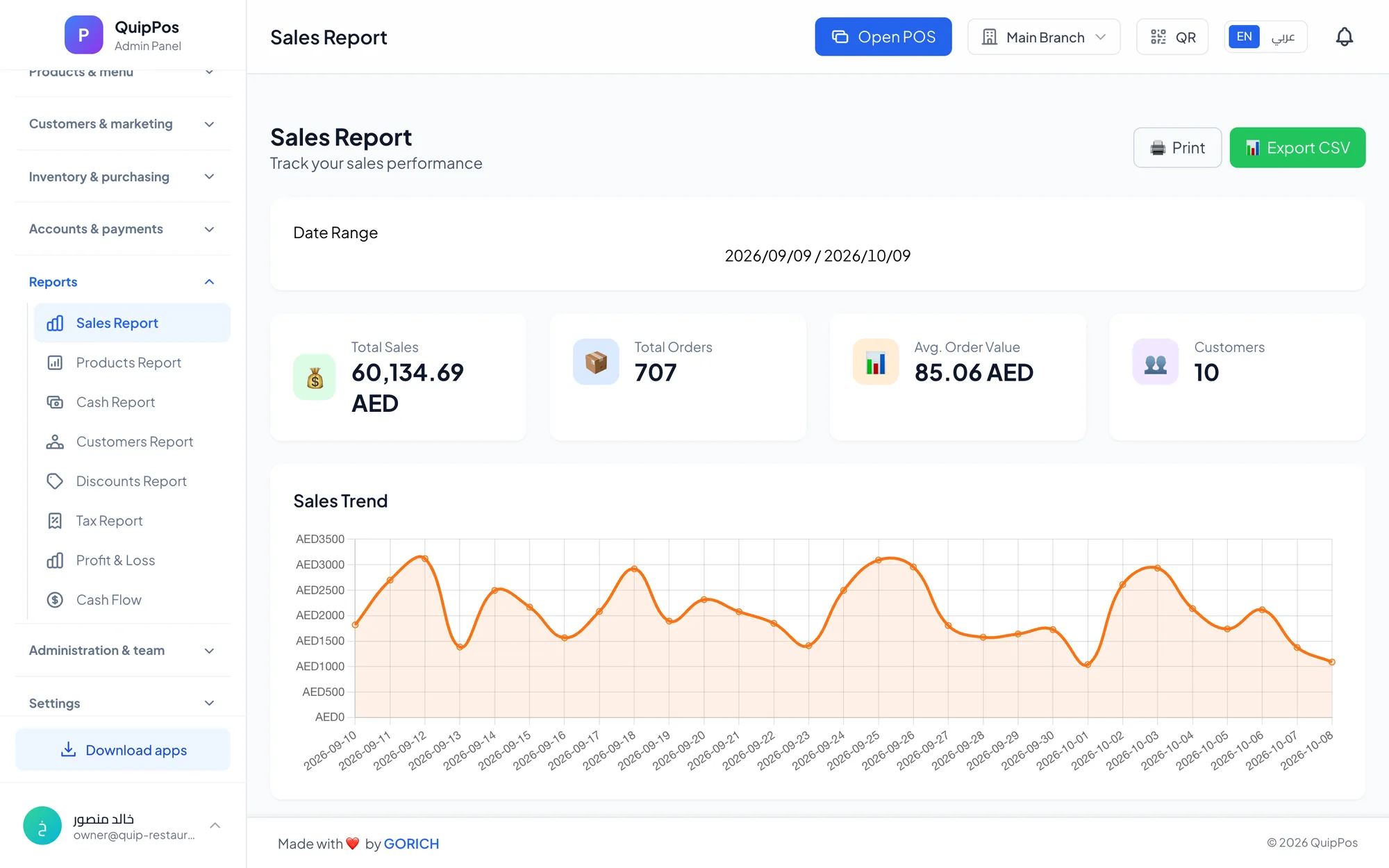
To reduce employee theft at the POS, remove the opportunity and make every exception visible: limit refunds, voids and discounts by permission, require a reason for each one, count the cash at every shift close, and review the audit log and exception reports every week. Most cashier theft depends on actions that nobody checks.
Theft is uncomfortable to talk about, and most staff are honest. But the controls that stop the rare dishonest employee also catch the far more common honest mistake: a refund to the wrong bill, a double void, a discount keyed as 50 instead of 5. Either way, money leaves the business.
This guide explains how POS fraud usually happens, the controls that prevent it, the warning signs to look for in your reports, and how to investigate without damaging trust in your team.
- Most cashier theft uses refunds, voids, discounts or sales that are never recorded.
- Permissions and required reasons remove the easy opportunities.
- A counted shift close turns hidden losses into visible numbers.
- The audit log reveals patterns: who, what, when and how often.
- Gather facts quietly and fairly before you accuse anyone.
What are the most common types of cashier theft and POS fraud?
Almost every case of POS fraud follows one of a handful of patterns. Knowing them tells you exactly which controls to set up first.
| Pattern | How it works | Warning sign | Control |
|---|---|---|---|
| Fake refund | Refund with no real customer, cash kept | Refunds cluster on one employee | Manager approval, required reason |
| Void after payment | Customer pays cash, item voided, cash kept | Voids late in the shift | Void permission, audit log |
| Unrecorded sale | Sale never entered, cash pocketed | Sales low for the footfall, stock missing | Receipt for every sale, stock counts |
| Sweethearting | Big discounts or free items for friends | One cashier discounts far more | Discount limit per branch |
| Promo code abuse | Codes applied without a real customer | A code used far more than expected | Control who creates codes |
| Skimming | Cash taken straight from the drawer | Repeated shortages | Shift counts, one cashier per drawer |
| Stock theft | Goods taken from shelves or the kitchen | Stock lower than sales explain | Adjustments with reasons, recipes |
How do you lock down refunds, voids and discounts?
Refunds, voids and discounts are a normal part of trading. Customers return items, orders get entered twice, regulars deserve a gesture. The goal is not to block them, but to make sure the right person approves them and every one leaves a record.
Set permissions by role
- Cashiers sell and take payment; refunds and voids after payment need a manager.
- Managers approve exceptions but cannot change their own permissions.
- Only the owner, or one trusted manager, can create promo codes, change prices or add staff accounts.
Cap manual discounts
Set a maximum manual discount for each branch, for example 10%. A cashier can still offer a regular customer a small gesture, but a 50% discount for a friend needs approval. For planned promotions, use promo codes instead of manual discounts, so each offer is tracked and measured on its own.
Require a reason for every exception
A required reason takes three seconds and changes behaviour. Honest staff explain mistakes while they still remember them, and anyone tempted to abuse the system knows their own words are on record. Over time, the reasons also show where training is needed. Our guide to POS security, roles and permissions explains how to design the full permission set.
Why counting cash at every shift close matters
Without a counted close, missing cash disappears into the month. With one, it becomes a number tied to a person, a date and a shift, and that alone deters most opportunistic theft.
- Open every shift with a counted float and a personal PIN.
- Keep one cashier per drawer.
- Close with a full count and record the over/short result.
- Have a manager sign off the result.
- Track results per cashier over weeks, not days.
Keep in mind that most shortages are recording errors, especially on bills paid partly in cash and partly by card. Our guide to cash and shift management covers the full process.
What warning signs should you look for in POS reports?
Set aside 15 minutes each week for the audit log, the discount report and the shift results. These are the signs worth noticing:
- One employee with many more refunds or voids than colleagues on similar shifts.
- Voids or refunds just before a shift closes, or right after a busy period.
- Cash refunds for purchases that were originally paid by card.
- Round-number refunds or discounts with vague reasons such as “other”.
- A promo code used far more often than your customers could explain.
- Repeated small shortages with the same cashier.
- Lower sales on one person's shifts than on others at similar times.
- Missing stock that sales do not explain.
A single sign proves nothing. Two or three that point to the same person, shift or time of day deserve a closer look. For a complete weekly routine, see the POS reports every owner should check.
A real-world example
Imagine a café in Kuwait City where one barista's evening shifts show three times more voids than anyone else's, mostly on single coffees paid in cash, with the reason “customer left”. Each void is small, so no daily report looks alarming. Over a month, the pattern in the audit log is unmistakable. The owner tightens void permissions so evening voids need the shift manager, and the pattern stops within a week, before anyone has been accused.
How do you reduce honest cashier mistakes?
In many businesses, mistakes cost more than theft, simply because they happen every day. A wrong item keyed in during a rush, a price typed by hand, an order entered twice or change counted badly all end up in the same over/short result.
- Make the right item easy to find: clear, colour-coded categories, item photos and a search box cut wrong selections.
- Scan instead of typing: in retail, a barcode scanner removes most price and item errors at a stroke.
- Remove manual prices: every product should have its price set in the system, so cashiers never type one.
- Train on exceptions: most staff learn the normal sale quickly; practise refunds, split bills and voids before the first busy day.
- Read the reasons: if “wrong item” keeps appearing, fix the screen layout or the training, not the person.
How do you protect your stock, not just your cash?
Theft does not always pass through the till. In retail, goods leave through the stockroom; in restaurants, ingredients disappear from the kitchen. Your POS still helps.
- Stock adjustments with reasons: every manual change, such as damaged, expired or used as a sample, needs a reason, so unexplained losses stand out.
- Regular counts: count high-value items such as perfumes, phones and accessories weekly, and compare them with the system.
- Recipes: when each dish deducts its ingredients automatically, the gap between expected and actual stock reveals waste or theft.
- Low-stock alerts: an item that runs out faster than its sales suggest is a signal.
- Purchase invoices: record supplier deliveries so received quantities can be checked against what was ordered.
How do you investigate without damaging trust?
How you handle a suspicion matters as much as the controls. A wrong accusation can cost you a good employee and the trust of the whole team.
- Gather facts first: audit log entries, shift results, discounts and stock records over several weeks.
- Look for innocent explanations: a training gap, an unclear rule or a setting that is wrong.
- Talk privately and ask open questions. Show the data, not opinions.
- Fix the process even if nobody is at fault: tighten a permission, add a reason, change a routine.
- Follow your local labour rules and take professional advice before any disciplinary step.
Prevention is cheaper than investigation. Tell staff clearly which actions are recorded and why. Most people respond well to rules that apply to everyone, managers included.
How Quip POS helps reduce theft and mistakes
- Roles and granular permissions for owner, manager, cashier, waiter, kitchen and driver, with PIN sign-in for each employee.
- Refunds and voids, full or partial, are permission-based and require a reason.
- Manual discounts have a per-branch limit, and promo codes can be a percentage or a fixed amount.
- Shifts open and close with a cash count and an over/short report.
- Audit log of who did what and when, for every sensitive action.
- Stock control: adjustments with reasons, low-stock alerts, a warehouse per branch, suppliers and purchase invoices, and returns that put quantity back in stock.
- Recipes deduct ingredients automatically and show each dish's cost and margin.
- Reports for sales, products, discounts and cash, with combined reports for owners of several branches.
Retailers can see how these controls work with barcodes and stock on the retail solution page, and the complete list is on the features page.
Next step: close the gaps this week
Start with three changes: give every employee their own PIN, require a manager for refunds and voids, and count every shift. Then book a weekly 15-minute review of the audit log. To test these controls with your own team, explore the live demo or start a 14-day free trial with every feature and no card.
Frequently asked questions
How do employees steal from a POS system?
How can I prevent cashier theft?
What are the warning signs of employee theft at the till?
Can a POS system detect employee theft?
What should I do if I suspect an employee of stealing?
Do refund and void permissions really reduce POS fraud?
Talk to the Quip POS team
Tell us about your business and we will show you the right setup, help you add your products and connect your printers.
Related articles
Management & finance
POS Reports: The Sales Numbers and KPIs Every Owner Should Check
The daily, weekly and monthly POS reports worth your time, how to calculate average ticket and margins, and what to do when a number moves.
 Management & finance
Cash and Shift Management: Close the Day Without Shortages
How to open and close POS shifts, count cash, read the over/short report and keep mixed payments and unpaid orders under control, with an end of day checklist.
 Management & finance
Multi-Branch Management: How to Run Every Location From One POS
What to centralise and what to leave to each branch, how to control stock, staff and cash across locations, and how to open a new branch without starting from scratch.