




















Multi-Branch Management: How to Run Every Location From One POS
What to centralise and what to leave to each branch, how to control stock, staff and cash across locations, and how to open a new branch without starting from scratch.
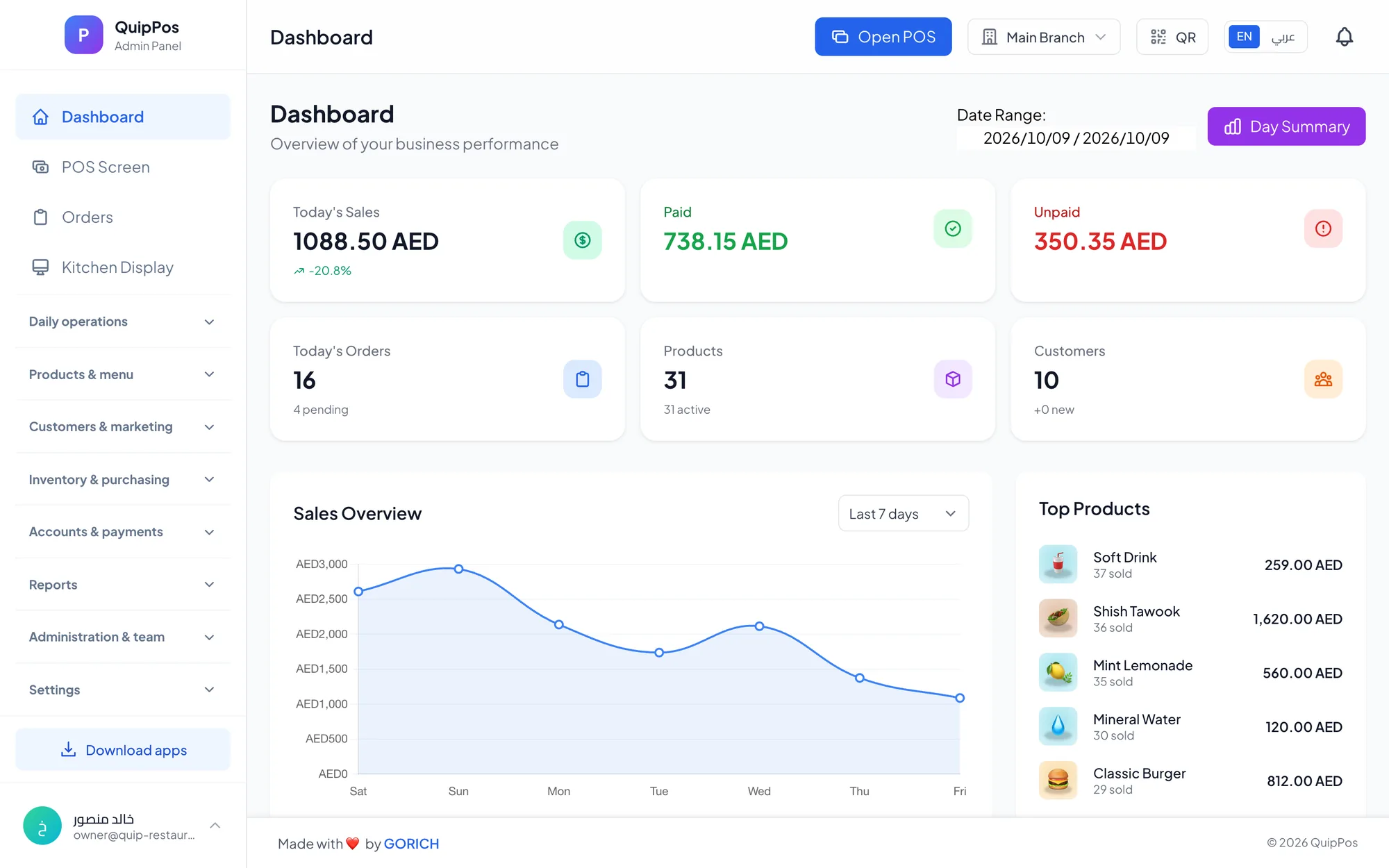
Multi-branch management means running every location from one system: each branch keeps its own prices, stock, staff and settings, while the owner sees combined reports without waiting for anyone to send them. A cloud POS makes this possible because every device and branch syncs to the same data, so you stop chasing spreadsheets from each shop.
The second branch is where many growing businesses feel the strain. The owner can no longer stand at the counter every day, habits that worked in one shop start to differ between locations, and a question as simple as "which branch made more profit last month?" takes days to answer.
This guide explains what to centralise and what to leave to each branch, how to handle stock, staff and cash across locations, which combined reports to read, what to decide early if you plan to franchise, and how to open a new branch step by step.
- Centralise the product catalogue and the rules; let each branch own its stock, local prices and daily operations.
- Give every employee a role, a PIN and only the permissions their job needs.
- Read combined reports daily, then look closer at the branch that stands out.
- Open new branches from a repeatable checklist instead of starting from scratch each time.
What changes when you open a second branch?
With one shop, the owner is the system. You see the queue, count the cash and notice when the cheese runs low. With two or more, that informal control disappears, and it has to be built into how the business runs:
- Visibility: you need today's sales for every branch without phoning each manager.
- Consistency: the same product should have the same name, recipe and receipt everywhere.
- Control: discounts, refunds and voids need the same rules in every location.
- Comparison: you need to know which branch is improving, which is slipping, and why.
Two branches on separate systems give you two sets of numbers that never quite match. One system with several branches gives you one set of numbers you can trust.
What should be central and what should each branch control?
The most important decision in multi-location management is the split between head office and the branch. A practical default looks like this:
| Area | Set centrally | Set per branch |
|---|---|---|
| Products and names | One catalogue for the brand | Which items each branch sells |
| Prices | A standard price list | Branch prices for malls, airports or new cities |
| Stock | Reorder rules and approved suppliers | Each branch's own warehouse and counts |
| Discounts | Discount policy and promo codes | A discount limit for the branch |
| Staff and roles | Role definitions and permissions | Who works at which branch |
| Printers and devices | A standard hardware list | Printer routing and kitchen screens |
| Receipts and tax | Logo and receipt layout | Local tax settings (check local rules) |
The principle is simple: centralise anything that protects the brand or the margin, and leave daily execution to the people on site.
How to manage stock across multiple locations
Stock is where multi-branch businesses lose the most money without noticing, because a shortage in one branch can hide behind a surplus in another.
- Give each branch its own warehouse in the system, so stock is counted where it physically sits.
- Watch low-stock alerts branch by branch, because a busy mall branch sells faster than a quiet neighbourhood one.
- Record every adjustment with a reason: damage, expiry, waste or count correction.
- Record purchases per branch with the supplier invoice, so each branch's costs are accurate.
- If you move stock between branches, record it on both sides the same day so neither count drifts.
- Count high-value items weekly in every branch, on the same day, so the results are comparable.
Example: a phone accessories chain in Riyadh with four branches finds that one store keeps "running out" of a popular charger while another holds 60 units. With every branch's stock visible in one place, the owner rebalances in a day instead of placing a new order.
How to manage staff and permissions across branches
More branches mean more people handling cash and discounts. Good structure protects honest staff as much as it discourages dishonest ones.
- One person, one sign-in. Shared logins make every report meaningless, so give each employee a PIN.
- Roles by job: owner, manager, cashier, waiter, kitchen and driver, each with only the permissions the job needs.
- Discount limits that fit each branch, so a manager can approve what a cashier cannot.
- A reason for every refund and void, so patterns become visible.
- Shifts with a cash count at every branch, with the over/short result reviewed the next morning.
- An audit log showing who did what and when, so questions are answered from records rather than memory.
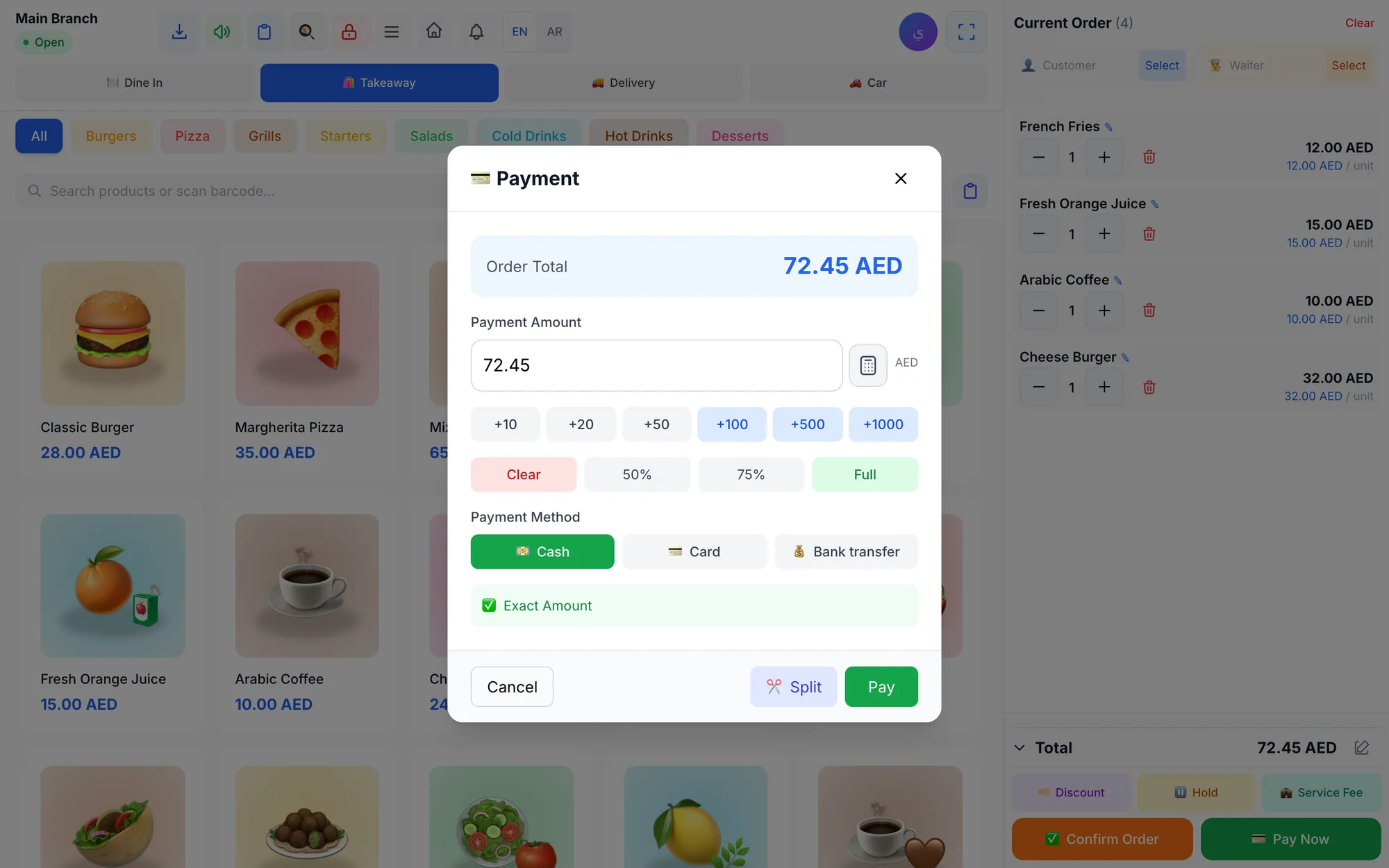
Our guide to POS security, roles and audit logs explains how to set this up, and cash and shift management covers closing each day without shortages.
Which combined reports should a multi-branch owner check?
Combined reports answer "how is the business doing?". Branch comparisons answer "where should I look?". Use both, in this rhythm:
Every day
- Today's sales, paid and unpaid, for the whole business and for the branch that looks different.
- Cash over/short from yesterday's shift closings.
- Refunds, voids and discounts that look unusual for a branch.
Every week
- Best and worst sellers by branch: a product that sells well in one location may be poorly displayed in another.
- Average ticket per branch, which reveals differences in upselling and pricing.
- Stock adjustments and low-stock alerts per branch.
Every month
- Profit and loss, expenses by category and cash flow.
- Customer and loyalty reports: are regulars coming back?
- The tax report for your accountant; check the local rules for each country or emirate you operate in.
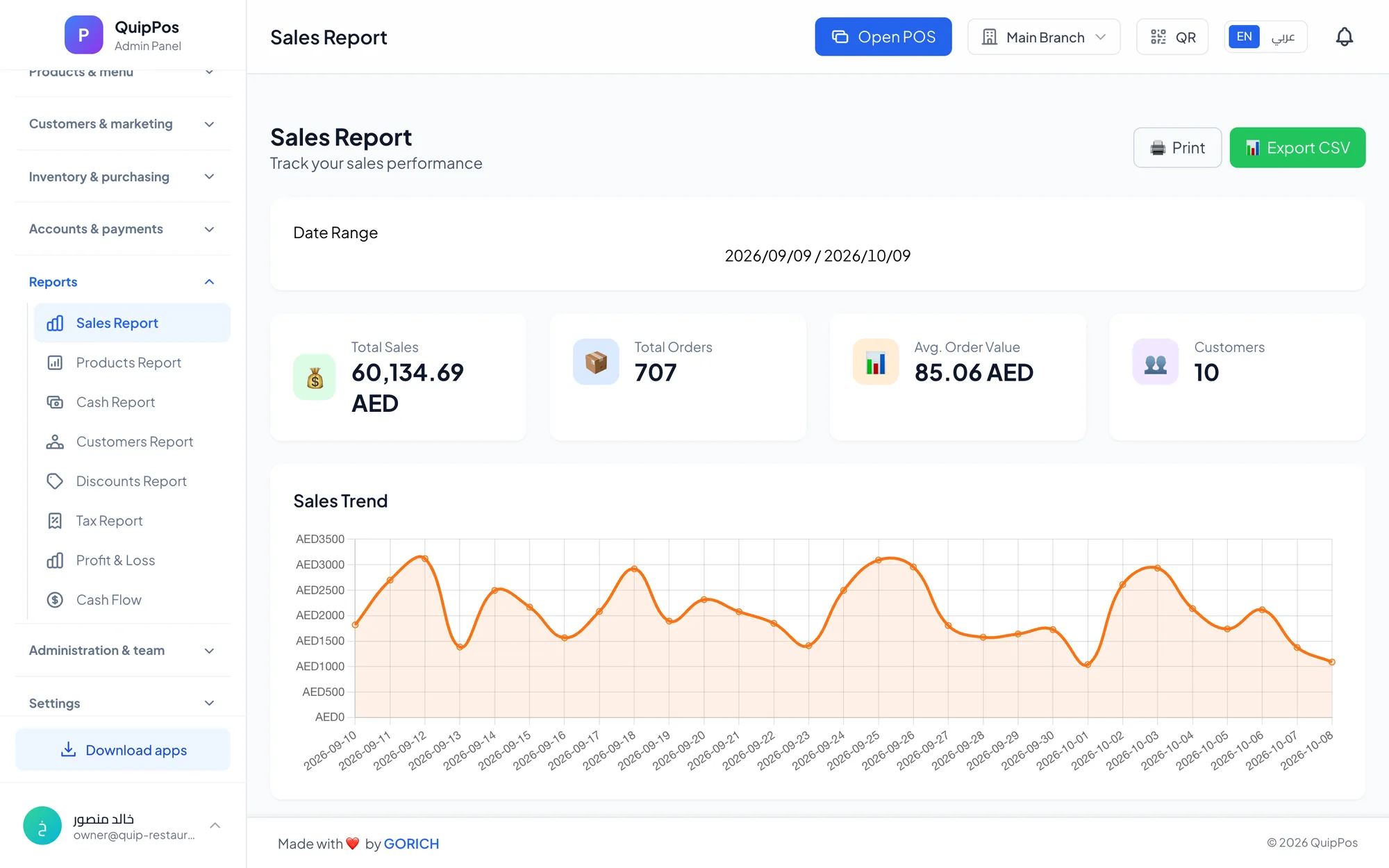
For the full list of metrics and how to act on them, read the POS reports every owner should check.
Franchise POS: what to decide before you franchise
A franchise adds a layer. The brand owner wants consistency and visibility, while each franchisee runs their own business and keeps their own books. Decide these points early:
- Branch or separate company? Company-owned locations usually work as branches of one company. A franchisee is often better set up as a separate company with its own data, so their records stay private.
- Who controls the menu and prices? Write down which items and prices a franchisee may change.
- What does head office see? Agree on the figures shared for royalties and quality checks, and how often.
- Brand standards in the system: product names, receipt layout and logo should match across every location.
- Training: every new franchisee should get the same setup guide and the same staff training.
Getting this structure right at the start is far easier than separating data later.
How to open a new branch step by step
- Create the branch with its own settings: name, address, receipt details and tax settings.
- Load the products it will sell, importing from Excel with images and prices if the list is long.
- Set branch prices where they differ from the standard list.
- Enter opening stock in the branch warehouse after a physical count.
- Connect printers and screens, then print a test receipt and a test kitchen ticket.
- Add staff with their roles and PINs, and set the branch discount limit.
- Train the team on a test shift: sell, refund with a reason, close with a cash count.
- Open on a quieter day if you can, with an experienced team member from another branch on site.
- Review the first week against your other branches: sales, average ticket, over/short and stock.
How Quip POS manages multiple branches
In Quip POS, each branch has its own settings, prices and stock, and the owner sees combined reports across all of them. Everything runs in the cloud, so every device in every branch stays in sync.
- A warehouse per branch, with stock adjustments that need a reason and low-stock alerts.
- Price lists for wholesale, retail and per branch.
- A manual discount limit per branch, plus percentage or fixed promo codes.
- Roles and granular permissions for owner, manager, cashier, waiter, kitchen and driver, with PIN sign-in.
- Shifts opened and closed with a cash count and an over/short report.
- An audit log of every sensitive action, with data isolated per company and branch.
- A live dashboard with today's sales, paid and unpaid orders and best sellers, plus reports for sales, products, discounts, tax, cash flow and profit and loss.
- Excel import of products with images and prices, which speeds up opening a new location.
- Branch-level tools where the business type needs them, such as a QR menu per branch for restaurants or numbered repair orders per branch for maintenance centres.
Teams can work from a browser, the Windows and Mac desktop app (which keeps selling offline), or the iPhone, iPad and Android apps. See everything on the features page, and compare what each plan includes on the pricing page.
Run your next branch from one system
If you already run two or more locations, start by putting them on one system with one product list, then compare branches every week. If you are about to open your second branch, set up the structure first and the new location will open faster and calmer. Explore the reports, roles and settings in the live demo, or start a 14-day free trial with no card and set up your own branches.
Frequently asked questions
What is multi-branch management?
Can one POS system manage multiple locations?
How do I compare performance between branches?
Should each branch have different prices?
How do I control stock in multiple stores?
What is the difference between a multi-branch POS and a franchise POS?
Talk to the Quip POS team
Tell us about your business and we will show you the right setup, help you add your products and connect your printers.
Related articles
 Management & finance
POS Reports: The Sales Numbers and KPIs Every Owner Should Check
The daily, weekly and monthly POS reports worth your time, how to calculate average ticket and margins, and what to do when a number moves.
 Management & finance
Cash and Shift Management: Close the Day Without Shortages
How to open and close POS shifts, count cash, read the over/short report and keep mixed payments and unpaid orders under control, with an end of day checklist.
Management & finance
Employee Theft at the POS: How to Reduce Fraud and Cashier Mistakes
The common types of cashier theft and POS fraud, the controls that stop them, the warning signs in your reports and how to investigate fairly.