




















Clothing Store POS: How to Manage Sizes, Colours and Returns
Sizes and colours with their own stock, returns and exchanges, seasonal discounts and loyalty: a practical guide to running a clothing or fashion store on a POS.
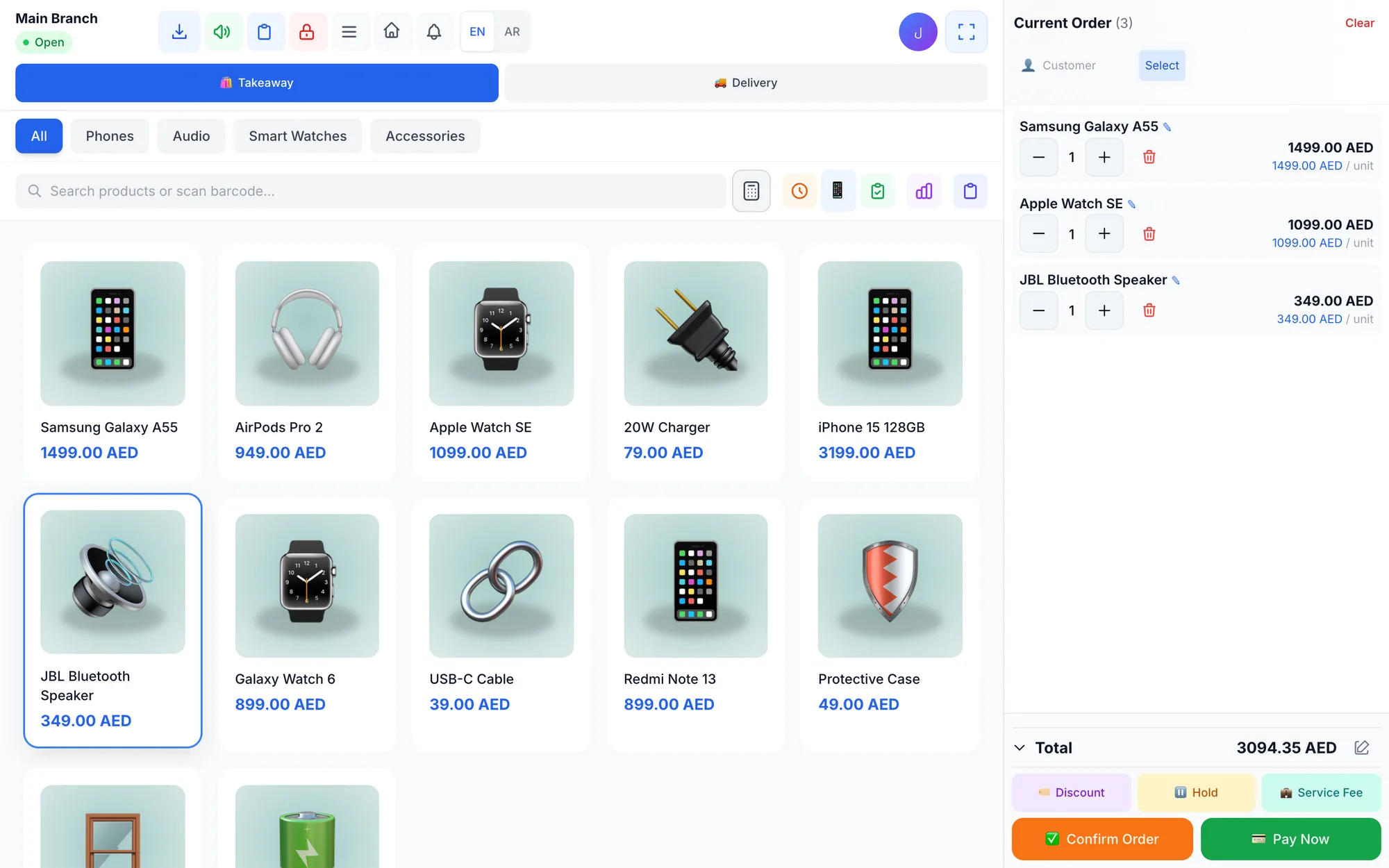
A clothing store POS system tracks every style by size and colour, each with its own stock and price, so you always know which variant to reorder. It also handles returns and exchanges, runs seasonal discounts and promo codes, and rewards repeat customers with loyalty points, all from the same checkout screen.
Fashion retail has a stock problem other shops do not. One dress in five sizes and three colours is fifteen stock items, and a boutique with 200 styles is managing thousands of variants. A shop in Jeddah can sell out of black in size M within a week while beige in XL sits on the rail for a whole season. Without variant-level data, owners reorder by feel and end each season with the wrong leftovers.
This guide shows how to set up sizes and colours properly, handle returns and exchanges without losing stock accuracy, run sales that protect your margin, use loyalty and customer history, and read the reports that matter in fashion.
- Set up each style as one product with size and colour variants, each with its own barcode and stock.
- Process an exchange as a refund plus a new sale so stock stays right on both items.
- Write a clear return policy and apply it the same way at every till.
- Use promo codes and discount limits to run sales without losing control of margins.
- Check sell-through by size every month and reorder what actually sells.
Why do clothing stores need a POS built for variants?
In most shops, one product means one item on the shelf. In fashion, one product is a grid. A shirt that comes in S, M, L and XL and in white, blue and black is twelve separate stock lines, and each one sells at its own pace.
A basic till that records “shirt, AED 120” tells you revenue but not what to reorder. A variant-aware POS tells you that white M sold eight times this month and black XL once. That difference drives every buying decision, from reorders to the size mix you ask your supplier for next season.
Variants also protect checkout accuracy. When each variant has its own barcode, scanning the tag removes exactly the right size and colour from stock, and the cashier never has to guess which button to press.
How to set up sizes and colours in your POS
Get the structure right before the first sale. Fixing a flat product list later means recounting every rail.
- Define size scales per category. S to XXL for tops, waist sizes for trousers, EU 36 to 46 for shoes, ages for kidswear. Keep the scale consistent within a category. Abayas and kanduras are usually sized by length, such as 52, 54 and 56, rather than by letters, so use length as the size scale there.
- Fix a colour list. Decide once whether it is “navy” or “dark blue”, and use it everywhere. Inconsistent names create duplicate variants.
- Give every variant its own barcode. Use the supplier's barcode when the tag has one, and generate your own for items without.
- Set variant prices where they differ. Plus sizes or premium colours sometimes cost more, so the POS should allow a price per variant.
- Import from Excel with images. One row per variant, with a photo of the style so cashiers recognise it on screen.
- Count opening stock rail by rail and enter quantities per variant, not per style.
Example: one style, six variants
| Variant | Price (AED) | In stock | Sold this month |
|---|---|---|---|
| Linen shirt, white, M | 149 | 2 | 9 |
| Linen shirt, white, L | 149 | 4 | 6 |
| Linen shirt, white, XXL | 169 | 5 | 1 |
| Linen shirt, navy, M | 149 | 3 | 7 |
| Linen shirt, navy, L | 149 | 6 | 3 |
| Linen shirt, navy, XXL | 169 | 6 | 0 |
At style level this shirt looks healthy, with 26 pieces in stock. At variant level the picture changes: white M is nearly gone and needs reordering now, while navy XXL has not moved and is a candidate for the next sale.
Returns and exchanges: a policy that protects stock and cash
Returns are part of fashion retail. Customers buy two sizes to try at home, gifts come back in the wrong size, and Eid outfits get exchanged the week after. Handled loosely, returns damage stock accuracy and open the door to cash going missing.
Write the policy down
Decide the return window, the condition required (tags attached, unworn), whether sale items are exchange-only, and what proof you need, such as the receipt or the customer's phone number. Display it at the till and train every cashier to apply it the same way. Check your local consumer rules before you finalise it.
Gift buying peaks around Eid and other holidays, so agree in advance what staff should do when an item comes back without a receipt: look up the sale by the buyer's phone number in the customer history, or offer an exchange only. A clear rule prevents arguments at the till and protects stock at the same time.
Process an exchange as two transactions
The cleanest exchange is a refund of the returned item, which puts it back in stock, followed by a new sale of the replacement. Both variants then show the right quantity, and reports tell the true story of what customers kept.
Control who can refund
Refunds should depend on permissions, carry a required reason such as wrong size, defect or changed mind, and appear in an audit log. Reviewing the reasons monthly tells you useful things: many “wrong size” returns on one brand may mean its sizing runs small.
Seasonal sales, discounts and promo codes
Fashion runs on seasons: summer and winter collections, Ramadan and Eid, national days, back-to-school and year-end sales. Discounts move old stock, but uncontrolled discounting quietly destroys margin.
- Discount by variant data, not by style. Mark down the sizes and colours that are not selling, and keep full price on those that are.
- Use promo codes for campaigns. A percentage code for a social media campaign or a fixed amount for a loyalty offer lets you measure exactly how each one performed.
- Set a manual discount limit per branch so staff can close a sale without giving away the margin.
- Review the discount report after every sale period: total discount given, by whom and on which items.
Loyalty and customer history for fashion shoppers
Fashion customers come back when they feel known. A customer database with purchase history lets staff see that a regular buys size M in blazers and 38 in shoes, and suggest new arrivals that fit. Points on every purchase, redeemable as discounts, give a reason to return, and tiers reward the customers who spend most. Sending receipts on WhatsApp keeps your shop's number in their phone for the next collection launch. The customer loyalty program guide has more ideas for points, tiers and rewards.
Two simple ideas work well in fashion: give your top tier early access to each sale, and send regular customers a personal WhatsApp message when a style they bought before arrives in a new colour.
Which reports should a clothing retailer check?
Ten minutes a week with the right numbers beats a full day of guesswork at the end of the season.
- Best sellers by variant: which sizes and colours to reorder first.
- Slow movers: styles and variants with stock but few sales, candidates for a markdown.
- Sell-through rate: units sold ÷ units received for a style. If you received 60 and sold 45, sell-through is 75%.
- Discounts given: how much margin each sale period cost.
- Returns by reason: sizing problems, defects or changed minds.
- Sales by branch: which mall or street location sells which styles.
Accurate reports depend on accurate scanning; the barcode inventory guide explains the routines that keep variant stock true.
What hardware does a clothing store need?
Keep it simple and presentable, since the counter is part of the shop's look. Most boutiques need:
- A tablet, laptop or touch screen at the counter, with photos on the selling screen so staff find styles quickly.
- A barcode scanner for swing tags; a Bluetooth model lets staff scan bulky coats or items on a hanger without unhooking them.
- A thermal receipt printer, or WhatsApp receipts for customers who prefer no paper.
- A second device for busy seasons, such as a tablet or phone, so a staff member can ring up sales away from the counter during Eid and sale weekends.
How Quip POS works for clothing and fashion stores
Quip POS handles fashion retail through variants: sizes, colours and pack sizes, each with its own price and stock. Cashiers scan tags with any USB or Bluetooth barcode scanner or pick items from a touch screen with photos, and barcodes can be generated for items without one. Full or partial refunds put the quantity back in stock, require a reason and follow each employee's permissions, so an exchange is simply a refund followed by a new sale.
For sale periods there are percentage or fixed promo codes and manual discounts with a per-branch limit, plus reports on discounts, products, customers and sales. The loyalty program gives points on every purchase, redeemable as discounts, with tiers and reports, and the customer database keeps each shopper's purchase history. Receipts and messages can go out on WhatsApp from your own number through QuipWhats. Each branch has its own warehouse, prices and stock, low-stock alerts flag sizes running out, and products can be imported from Excel with images. Product names and receipts appear in two content languages, such as Arabic and English. More detail is on the retail solution page, and the retail POS guide covers the wider buying checklist.
Next step: set up one collection and test it
Open the live demo and explore the retail company to see variants, refunds and reports working together. Then start the 14-day free trial with no card, import one collection with its sizes and colours from Excel, sell, return and exchange a few pieces, and check that every variant's stock is still right. If you would like help importing products or training staff, the team is available over WhatsApp or phone.
Frequently asked questions
How do I manage sizes and colours in a clothing store POS?
How should a clothing store handle exchanges in its POS?
What is the best POS for a small boutique?
How do I run a seasonal sale without losing margin?
Can a fashion POS remember my customers' sizes and purchases?
How do I calculate sell-through for a clothing store?
Talk to the Quip POS team
Tell us about your business and we will show you the right setup, help you add your products and connect your printers.
Related articles
 Retail stores
Flower Shop POS for Gift, Chocolate and Bouquet Orders
A flower shop POS should handle bouquets, chocolates, gift bundles, delivery, and deposits without slowing checkout. This guide shows what to set up before busy seasons.
Retail stores
Retail POS System: The Complete Guide for Stores and Shops
Barcodes, variants, returns, warehouses, suppliers and price lists: what a retail POS system should do, which features matter for your store and how to choose one.
Retail stores
Barcode Inventory Management for Small Shops: A Practical Guide
How small shops use barcodes to keep stock accurate: setup steps, daily scanning routines, adjustments with reasons, low-stock alerts and the errors to avoid.