




















One system, screens made for your business
Every business works differently. Quip POS prepares the right categories, screens and settings from day one.
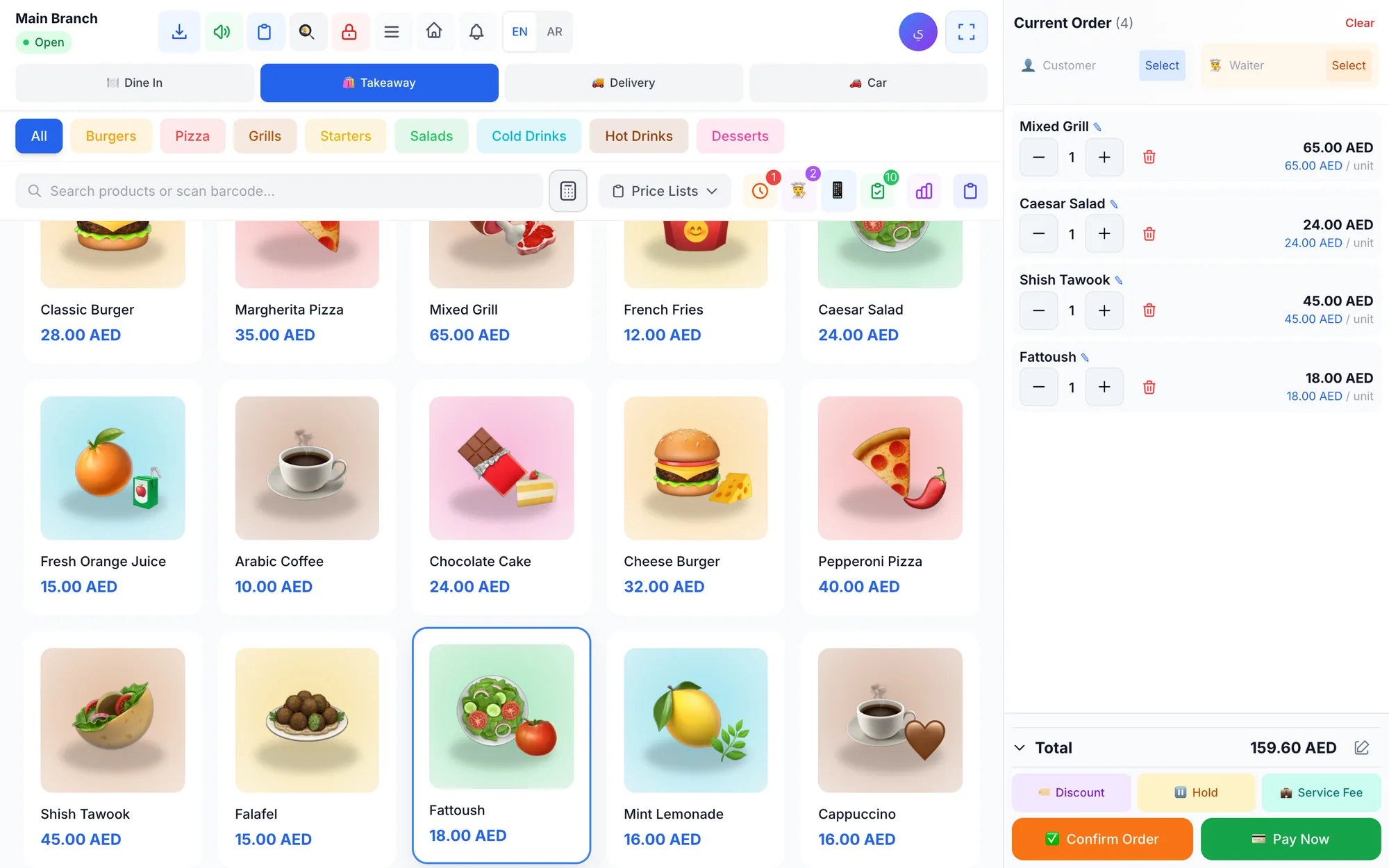
Restaurants & cafés
One system from the first order to closing the shift: the cashier sends the order, the kitchen prepares it on screen and waiters follow their tables from their phones.
- Four order typesDine-in with tables, takeaway, delivery and drive-up with the plate number.
- Tables and zonesTable map, move and merge tables, and split the bill between guests.
- Kitchen display (KDS)New, preparing and ready orders with timers, sound alerts and guest notes.
- Waiter appWaiters take orders on their phones and send them to the cashier and kitchen, with instant notifications.
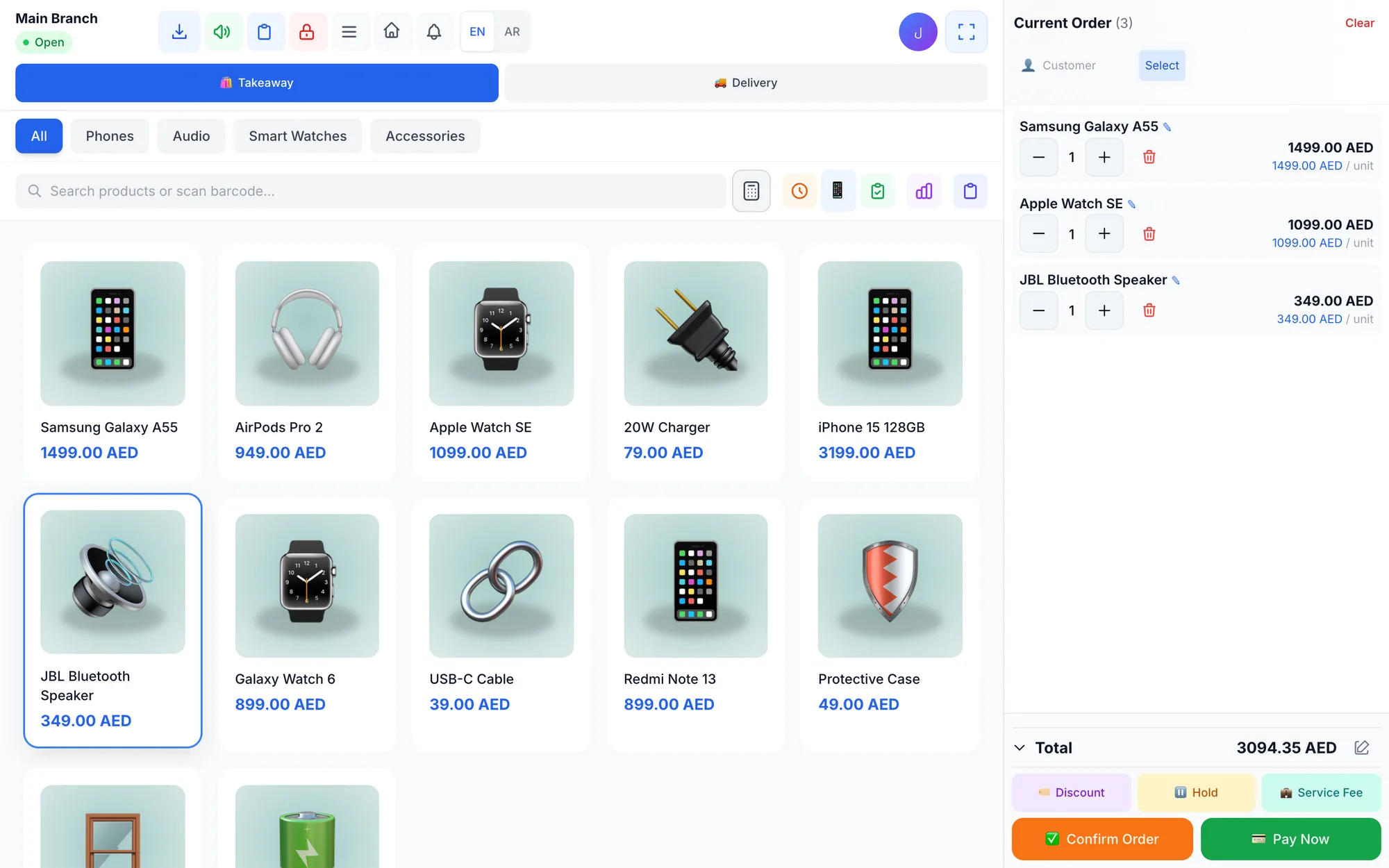
Retail stores
Fast barcode selling, accurate stock for every product, size and colour, and supplier purchases — all in one place.
- Barcode and quick searchScan a product or search by name, and generate barcodes for new items.
- VariantsSizes, colours and pack sizes with their own price and stock.
- Returns and refundsFull or partial refunds that put the quantity back in stock, with clear permissions.
- WarehousesA warehouse per branch, stock adjustments and low-stock alerts.
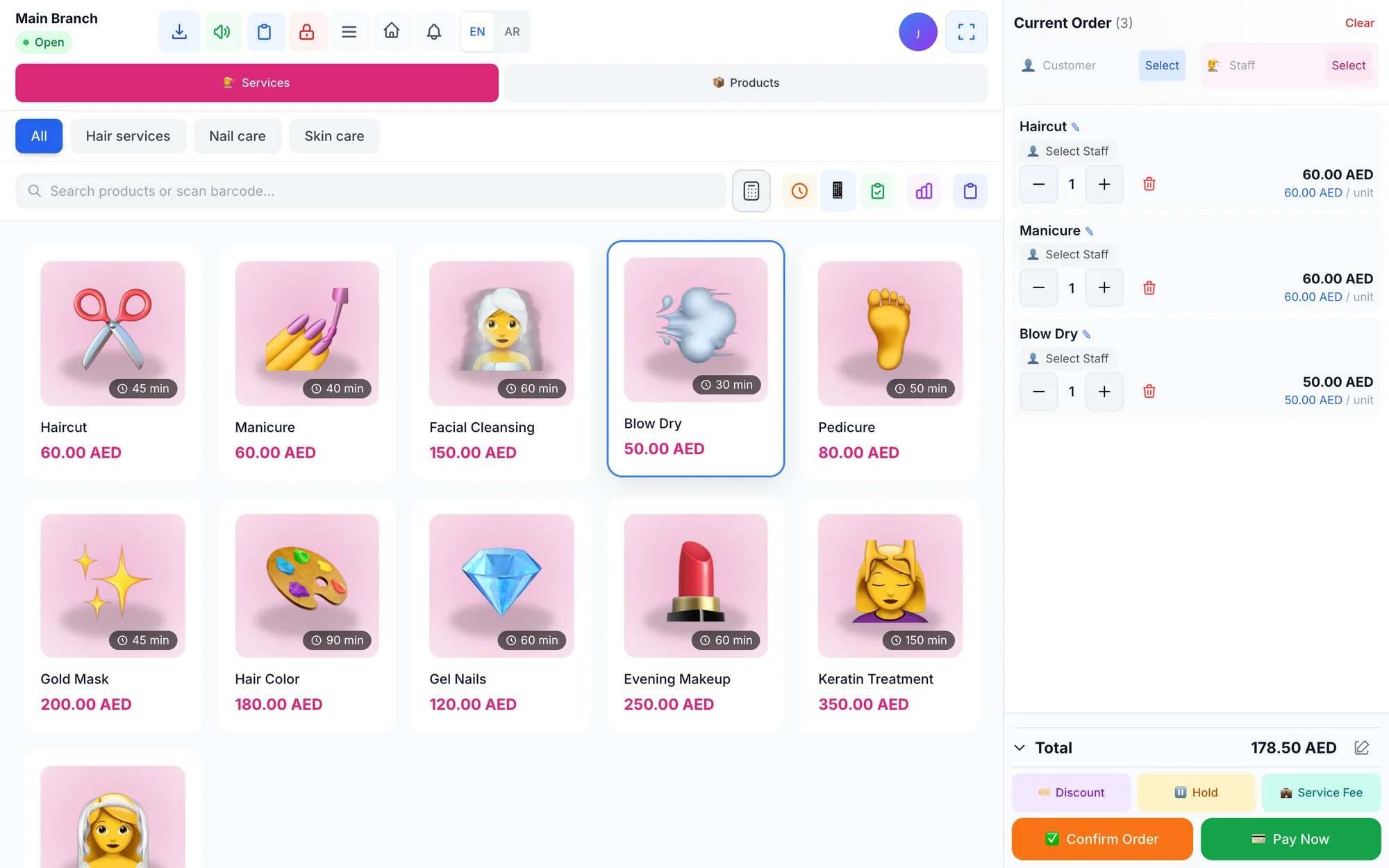
Salons & beauty centres
Organise client appointments, sell services and products, and calculate each stylist's commission automatically from every bill.
- AppointmentsBook and reschedule appointments per staff member and service.
- Staff on every salePick who performed the service at checkout so their commission is counted.
- CommissionsPercentage or fixed commission per service, with a report per staff member.
- Staff portalEach staff member signs in with a PIN to see their appointments and commissions.
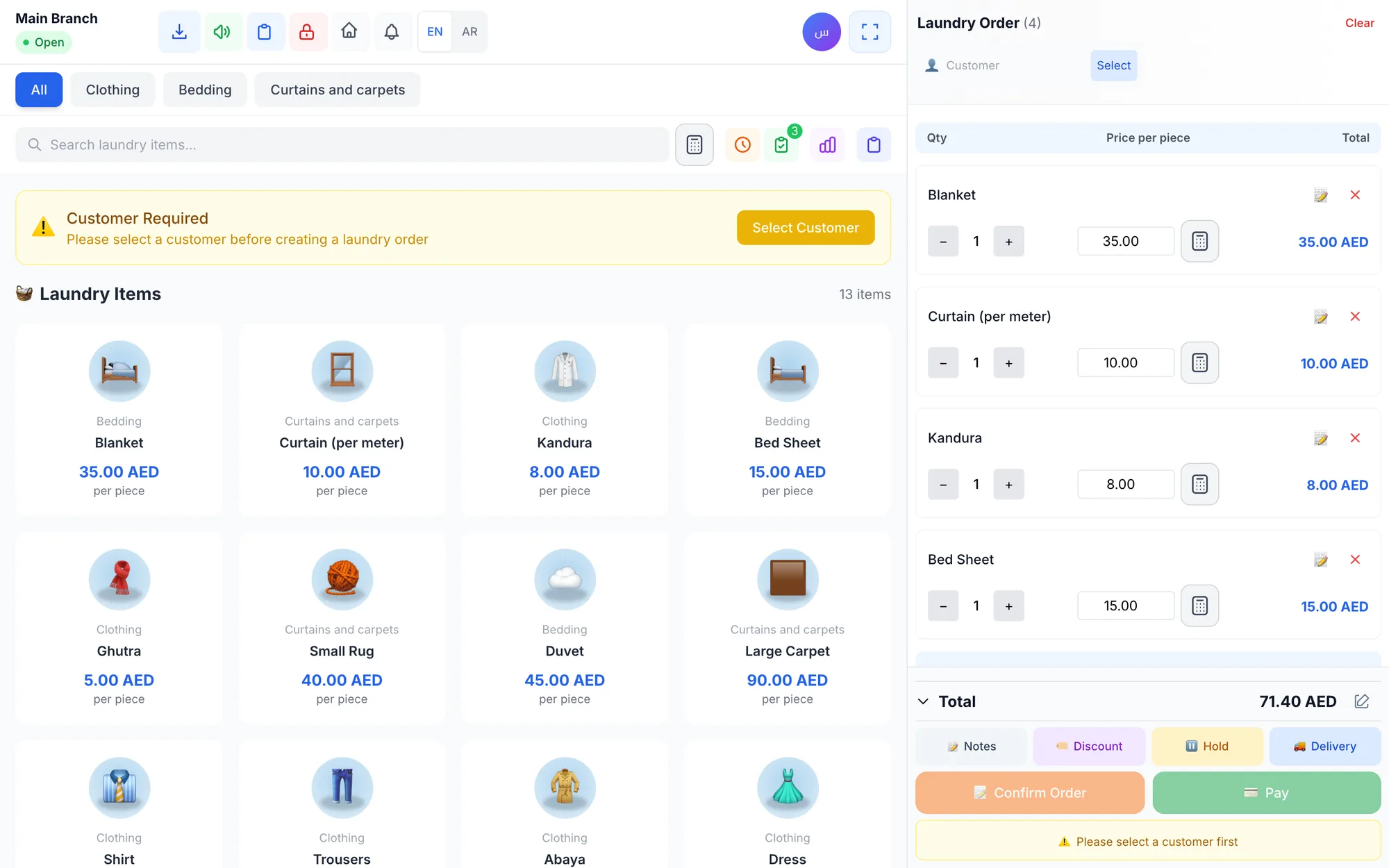
Laundries
Receive items with their prices and notes, track each order until handover, and collect the balance on pickup without losing an order.
- Per-piece pricingItems with photos and prices per service (wash, iron, dry clean).
- Order statusReceived, in progress, ready for pickup, picked up — with the pickup date.
- Open ordersSearch by order number, customer name or phone, with filters for status and unpaid orders.
- Notes per pieceRecord stains or special instructions on each piece.
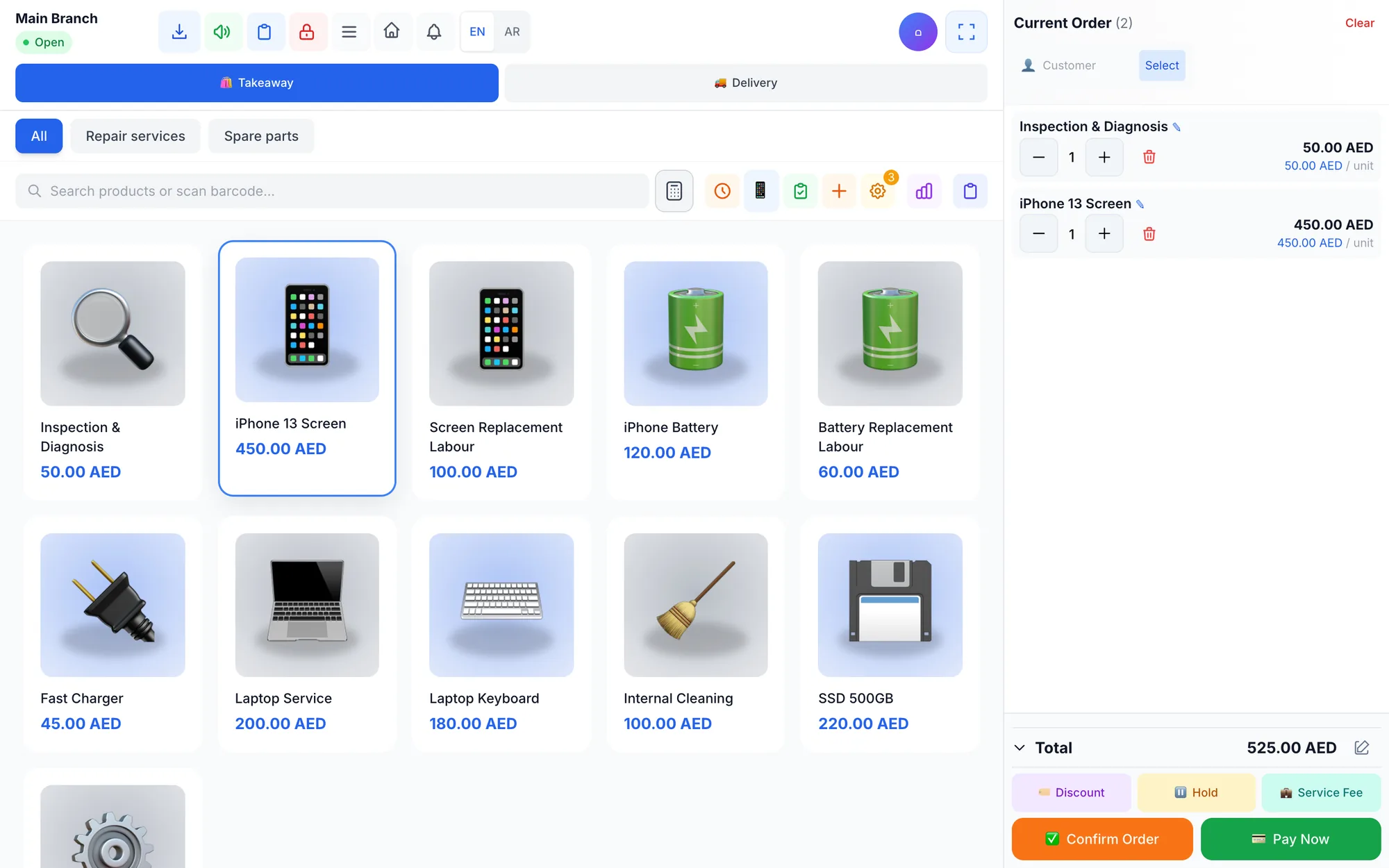
Repair & maintenance centres
Receive devices with numbered repair orders, assign them to technicians, sell spare parts and follow every device's warranty.
- Repair ordersA short number per branch (MNT-0001) with the receiving date and device status.
- TechniciansA technician role and an assignee for every order.
- WarrantiesA warranty per unit sold, cancelled automatically on refund.
- Parts and servicesSell parts with stock tracking and price repair services.
Ready to take your business further?
Create your account now and try every feature free for 14 days — no card, no commitment.